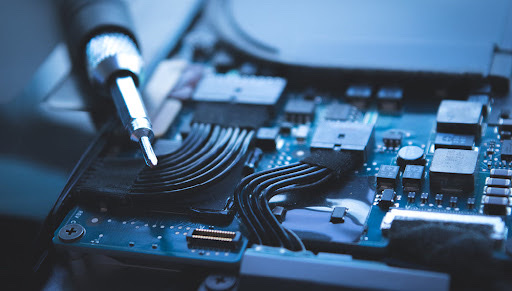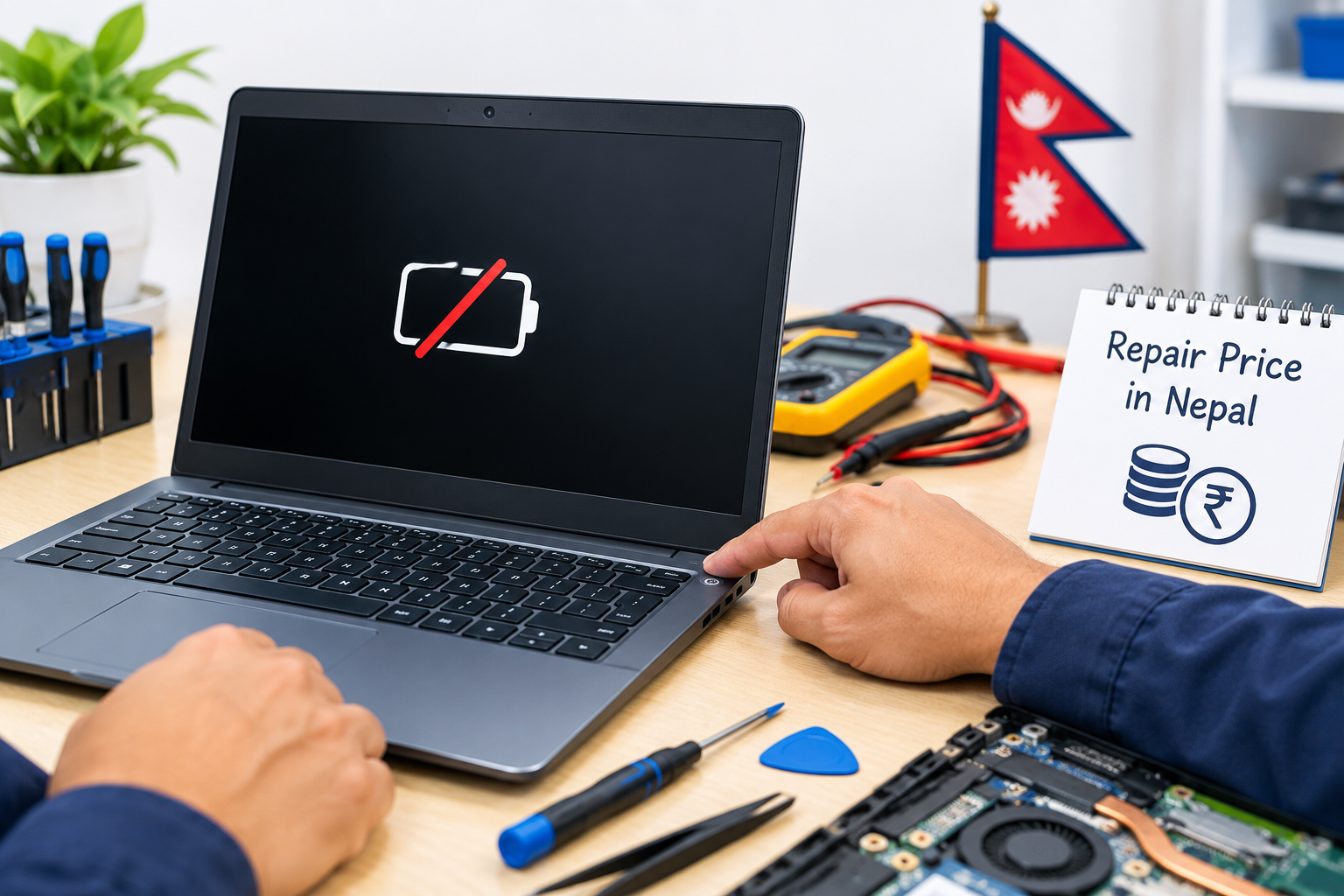
When a laptop suddenly stops turning on, the problem can range from a simple battery or charger issue to a more serious motherboard power fault. A laptop may show no lights, no fan movement, no charging response, or simply remain completely dead after pressing the power button. In some cases, the laptop may appear to receive power but still fail to start.
The laptop not turning on repair price in Nepal depends on the actual cause of the problem. A battery replacement or charging-port repair is generally different from a motherboard-level power repair. Proper diagnosis is therefore important before estimating the final repair cost.
Why Is My Laptop Not Turning On?
There are several reasons why a laptop may not power on. The charger may be faulty, the battery may be completely dead, or the charging port may be damaged. In other cases, the power button, motherboard, RAM, BIOS, or internal power circuit may be responsible.
Dust buildup, overheating, liquid damage, accidental drops, electrical surges, and short circuits can also cause a laptop to stop working. If the laptop suddenly became completely dead without showing any charging or power indicator, the issue may be related to the power circuit or motherboard.
Some laptops may also appear to have a power problem when the actual issue is related to the display. For example, the laptop may be running internally while the screen remains black.
Laptop Not Turning On Repair Price in Nepal
The laptop not turning on repair price in Nepal varies according to the fault, laptop model, required parts, and complexity of the repair. A basic problem such as a faulty charger, weak battery, or damaged charging port may require a relatively straightforward service, while motherboard power problems can require component-level diagnosis and repair.
If the laptop has no power at all, a technician normally checks the adapter, battery, DC-in or charging circuit, power button, motherboard voltage lines, and other relevant components before determining the cause.
For this reason, there is no single fixed price for every laptop power problem. The final cost depends on whether the issue can be solved through servicing or a component replacement or whether motherboard-level repair is necessary.
Laptop No Power Repair in Kathmandu
A laptop with no power response requires proper electrical and hardware diagnosis. If there are no charging lights, no fan movement, and no response from the power button, technicians can inspect the laptop's power input and motherboard circuits to identify where the power flow is interrupted.
Laptop no power repair in Kathmandu may involve checking the adapter, battery, charging connector, DC jack, charging circuit, power IC, MOSFETs, and other motherboard components. The repair process depends on the findings during diagnosis.
Repeatedly attempting to power on a laptop with a suspected short circuit or electrical fault is not recommended, particularly when the device has experienced liquid damage or an electrical surge.
Laptop Dead Repair Cost in Nepal
A completely dead laptop does not necessarily mean that the entire motherboard needs to be replaced. The laptop dead repair cost in Nepal depends on which component has failed and whether the affected component can be repaired or needs replacement.
For example, a faulty charger or battery can produce symptoms similar to a serious motherboard failure. A damaged DC jack can also prevent power from reaching the laptop correctly. If these components are working properly, technicians may then investigate the motherboard's power section.
Motherboard-level repairs can be more complex because the technician may need to identify a failed power component, short circuit, charging IC, or another damaged component before carrying out the repair.
Laptop Power Problem Repair
Laptop power problems can appear in several different forms. Some laptops do not respond when the power button is pressed, while others turn on briefly and immediately shut down. Some may show a charging indicator but fail to start.
Common power-related problems include:
- Faulty laptop charger
- Damaged charging port or DC jack
- Failed battery
- Faulty power button
- Charging circuit failure
- Motherboard short circuit
- Failed power IC or related components
- Liquid or physical damage
- Electrical surge damage
A professional laptop power problem repair service should begin with diagnosis rather than immediately replacing expensive components.
Laptop Motherboard Power Repair
The motherboard is responsible for distributing and managing power to different components of the laptop. If the motherboard's power section develops a fault, the laptop may stop turning on completely.
Laptop motherboard power repair can involve diagnosing short circuits and testing components such as power MOSFETs, charging ICs, power-management components, coils, and related circuits. Component-level repair may sometimes restore a motherboard without replacing the entire board.
The exact repair approach depends on the laptop's motherboard design and the component that has failed. Modern laptops can have compact and highly integrated power circuits, making proper diagnostic equipment and technical experience important.
Laptop Black Screen vs No Power
A black screen and a no-power condition are not always the same problem.
If the laptop has no indicator lights, no fan movement, and no response when you press the power button, it may have a power-related fault.
However, if the power light turns on, the fan spins, keyboard lights work, or you can hear the laptop operating but nothing appears on the display, the problem may be related to the screen, RAM, display cable, BIOS, graphics system, or motherboard.
Understanding this difference can help prevent unnecessary repairs. A laptop with a black screen may still be powered on even though nothing is visible on the display.
Laptop Charging but Not Turning On
Sometimes a laptop shows a charging indicator but does not start when the power button is pressed. This can happen because of a weak or failed battery, power-button problem, motherboard fault, charging circuit issue, or another internal hardware problem.
If the charging indicator is working, it does not necessarily mean that every part of the laptop's power system is functioning correctly. Further diagnosis may be necessary to determine whether the laptop is receiving and distributing the required voltages.
Laptop Power Button Not Working
A damaged or malfunctioning power button can prevent a laptop from starting even when the charger and battery are working normally.
The problem may be caused by the physical button, power-button board, connecting cable, connector, or motherboard-side circuitry. A technician can inspect these components and determine whether the button assembly or an electronic component requires repair or replacement.
Common Causes of a Completely Dead Laptop
A laptop can become completely dead for several reasons. Some of the most common include:
Faulty Charger
A damaged adapter may fail to provide the required voltage and current to the laptop. Testing the charger with suitable diagnostic equipment can help determine whether it is responsible.
Failed Battery
A completely failed battery can prevent some laptops from starting normally, particularly when the charger or charging circuit also has a problem.
Damaged Charging Port
A loose, broken, or physically damaged charging port can interrupt power entering the laptop.
Motherboard Short Circuit
A shorted component on the motherboard can prevent the system from powering on and may cause the laptop to shut down as a protection mechanism.
Power Circuit Failure
Failure of a power IC, MOSFET, charging controller, or related motherboard component can result in a no-power condition.
Liquid Damage
Water or other liquids can cause corrosion and electrical shorts. Liquid-damaged laptops should be handled carefully because continued attempts to power them on can potentially make the damage worse.
Physical or Electrical Damage
Drops, damaged internal connectors, unstable electricity, and electrical surges can also contribute to laptop power failures.
What Should You Check Before Taking Your Laptop for Repair?
Before taking your laptop to a repair center, you can perform a few safe checks.
First, make sure the charger is properly connected and check whether its indicator light is working if it has one. Try a suitable power outlet and check whether the laptop shows any charging indicator.
Disconnect unnecessary USB devices, memory cards, external drives, and other peripherals. If the laptop has a removable battery, an appropriate power-reset procedure may also help in some cases.
However, avoid repeatedly trying to start a laptop that has suffered liquid damage, smells burnt, becomes unusually hot, or shows signs of an electrical short.
Do not open the laptop or attempt motherboard repairs yourself unless you have the necessary technical knowledge and equipment.
When Does a Laptop Need Motherboard Repair?
A laptop may require motherboard-level diagnosis when basic components such as the charger, battery, and charging connection appear to be working but the laptop remains completely unresponsive.
Other warning signs include sudden shutdown followed by no power, visible charging but no startup, burning smell, liquid exposure, signs of a short circuit, or failure after an electrical surge.
Motherboard repair should be based on proper testing rather than assumptions. In some cases, repairing a specific failed component can be more appropriate than replacing the entire motherboard.
Can a Completely Dead Laptop Be Repaired?
Yes, a completely dead laptop can sometimes be repaired. Being completely unresponsive does not automatically mean that the laptop is beyond repair.
If the problem is caused by a charger, battery, charging port, power button, or replaceable component, the solution may be relatively straightforward. If the motherboard has a power-circuit failure or short circuit, component-level repair may be possible depending on the extent of the damage.
The possibility and cost of repair can only be determined accurately after the laptop has been diagnosed.
Laptop Not Turning On Repair Service in Kathmandu
Guru Computer Solution provides laptop repair and technical support in Kathmandu for laptops experiencing no-power, charging, motherboard, and other hardware problems.
Our technicians can diagnose issues involving laptop power circuits, charging systems, batteries, power buttons, DC jacks, and motherboard components. The repair process starts with identifying the actual fault before recommending the appropriate solution.
Guru Computer Solution operates as a professional laptop, printer, CCTV, mobile, computer, projector, and smartboard repair center in Kathmandu, with repair services available through our New Road and New Baneshwor locations.
For laptops from outside Kathmandu Valley, courier-based service arrangements may also be available. You can contact Guru Computer Solution for diagnosis and service information before sending your laptop.
How to Choose a Laptop Power Repair Service in Nepal
When choosing a laptop repair center for a no-power problem, look for a service provider that performs proper diagnosis before recommending expensive parts.
A professional repair center should be able to inspect charging systems, power circuits, motherboard components, and other relevant hardware. It is also useful to ask whether the repair uses suitable replacement components and whether the service provider explains the identified fault before proceeding.
For important laptops, data safety should also be considered. A power problem does not necessarily mean that your data is lost, so unnecessary formatting or data-erasing procedures should generally be avoided when they are not required for the repair.
Frequently Asked Questions
How much does laptop no-power repair cost in Nepal?
The cost depends on the actual fault. Charger, battery, charging-port, power-button, and motherboard-level problems can have different repair costs, so diagnosis is required before giving an accurate estimate.
Why is my laptop not turning on even when plugged in?
Possible causes include a faulty charger, battery, charging port, power circuit, power button, motherboard fault, or short circuit.
Can a completely dead laptop be repaired?
In many cases, a completely dead laptop can be repaired if the damaged component or circuit can be identified and repaired. The condition of the motherboard and other hardware determines whether repair is practical.
Why does my laptop show charging but not turn on?
A charging indicator only confirms that part of the charging system is responding. The battery, power button, motherboard power circuit, or another component may still have a fault.
Is a dead laptop always a motherboard problem?
No. A faulty charger, battery, DC jack, power button, or other component can also make a laptop appear completely dead.
How much does laptop motherboard power repair cost?
There is no single fixed price because motherboard power faults vary considerably. The cost depends on the failed component, extent of damage, laptop model, and complexity of the repair.
Can a faulty charger cause a laptop to stop turning on?
Yes. If the charger is not supplying the required power, the laptop may not charge or start properly.
What should I do if my laptop suddenly goes completely dead?
Disconnect unnecessary peripherals and check the charger and power connection. If the laptop remains completely unresponsive, professional diagnosis is recommended, especially if it was exposed to liquid, heat, physical damage, or an electrical surge.
Conclusion
A laptop that does not turn on can have anything from a simple power-source problem to a complicated motherboard power fault. The laptop not turning on repair price in Nepal therefore depends on the specific cause, laptop model, damaged components, and repair complexity.
Avoid repeatedly powering on a laptop that has suffered liquid or electrical damage, and have the device properly diagnosed before replacing expensive components. With accurate diagnosis, many laptop power problems can be repaired without replacing the entire motherboard.