Two desktops with nearly identical specs on paper — same CPU, same RAM capacity, same storage size — can have completely different repair outcomes when something fails. The difference isn't the performance spec sheet. It's what's underneath it: standardized, off-the-shelf components versus proprietary, manufacturer-specific ones.
What "Custom PC" and "Branded Desktop" Actually Mean?
A custom-built PC is assembled from individually purchased retail components — a standard ATX or micro-ATX motherboard, a separately purchased power supply, RAM, storage, and case — all built to common industry standards so they work together regardless of brand.
A branded desktop (Dell, HP, Lenovo, Acer, and similar) is a prebuilt system engineered for mass production, using components qualified by that specific manufacturer for cost, thermal performance, and firmware integration — not necessarily for compatibility with parts outside that manufacturer's own ecosystem.
The Core Repair Difference: Standardization vs. Proprietary Design
This is the single most important distinction, and it affects almost every repair scenario that follows.
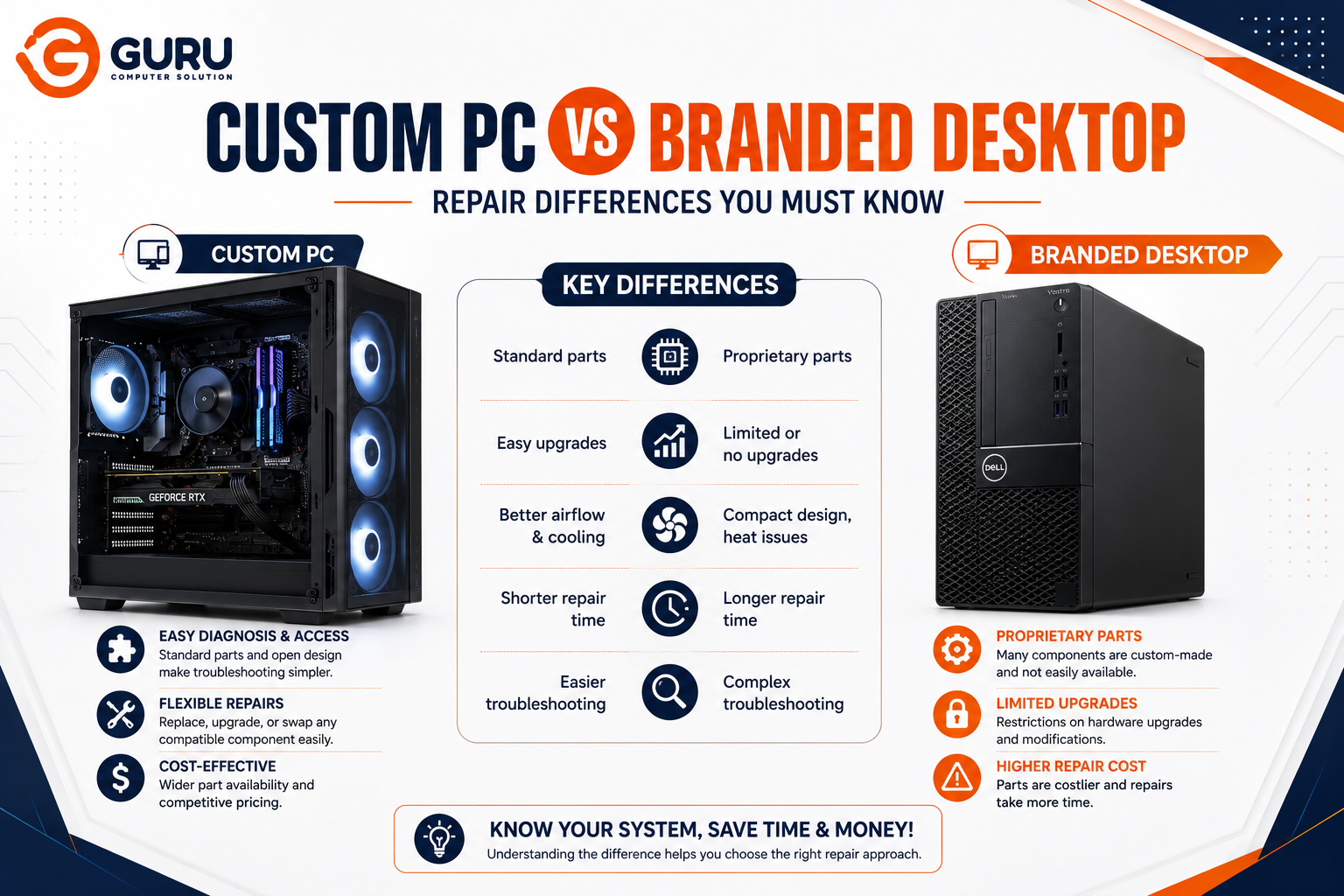
Custom PCs use standardized form factors and connectors. A standard ATX power supply, a standard-sized motherboard, standard RAM slots — these are built to industry specifications that any compatible retail component will fit. If a part fails, a same-category replacement from virtually any brand will generally work.
Branded desktops often use proprietary variations of the same components. A motherboard that looks like a standard ATX board may use a nonstandard front-panel connector layout, a modified PSU connector pinout, or a case designed around a specific compact power supply shape that a standard ATX replacement won't physically fit. This isn't universal across all models, but it's common enough, especially in slim, compact, or all-in-one form factors, that assuming standard compatibility is a mistake.
Repair Scenario by Scenario
Power Supply Failure
Custom PC: A standard ATX power supply from virtually any manufacturer will fit and work. Replacement is fast, widely available, and the customer has real choice over quality and wattage.
Branded desktop: Many compact and small-form-factor branded systems use manufacturer-specific PSU shapes and connectors that don't accept a standard ATX unit without modification, or won't fit the case at all. The technician needs to source a compatible part matching that specific model, which takes longer and often costs more than an equivalent standard part.
Motherboard Failure or Upgrade
Custom PC: Motherboard failure is a significant repair, but a standard replacement board (same socket, same form factor) is broadly available across many brands and price points.
Branded desktop: This is frequently the most limiting repair scenario. A proprietary motherboard from a major manufacturer often isn't compatible with standard aftermarket coolers, standard case mounting points, or even standard PSU connectors — the connector pinout itself can differ from an aftermarket unit. Replacement frequently means sourcing the exact same proprietary board, often only available through the original manufacturer, at a meaningfully higher cost than an equivalent standard board.
RAM and Storage Upgrades or Failures
Custom PC: Standard DDR4/DDR5 DIMMs and standard M.2/SATA drives in nearly all cases — replacement or upgrade is straightforward and price-competitive.
Branded desktop: Full-size towers from major brands usually support standard RAM and storage, but small-form-factor and all-in-one models sometimes use proprietary RAM modules or soldered memory that can't be swapped at all. This varies significantly by model, so checking the manufacturer's service documentation before assuming standard compatibility matters here specifically.
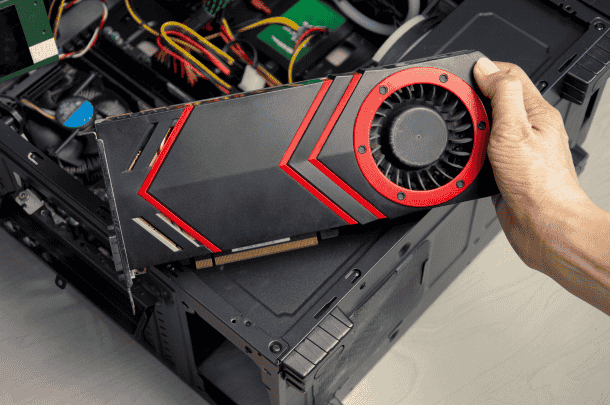
GPU Replacement or Upgrade
Custom PC: Cases are generally built with clearance and airflow for a wide range of GPU sizes, and the PSU can be chosen or upgraded to match GPU power requirements.
Branded desktop: Compact branded systems frequently have limited internal clearance and an underpowered proprietary PSU that can't support a higher-end GPU, making an upgrade — or even a like-for-like replacement of a failed card in some models — more constrained than it would be in a standard case.
Warranty and Support Differences
Custom PC: Each component carries its own separate warranty from its individual manufacturer — the GPU, PSU, motherboard, and RAM are all covered independently. This means more individual warranty relationships to manage, but also means a single failed component doesn't affect coverage on the rest of the system.
Branded desktop: A single consolidated warranty from one vendor is simpler to manage during the coverage period, and typically includes centralized support. The tradeoff appears after that warranty expires — replacement parts sourced from the original manufacturer for out-of-warranty repairs are frequently priced significantly higher than an equivalent standard component, sometimes several times the cost of a comparable non-proprietary part.
Repair Cost: The Practical Bottom Line
During the warranty period, a branded desktop is often the easier and cheaper path — one point of contact, manufacturer-covered parts and labor, no sourcing required on your end.
After the warranty period, the cost dynamic frequently reverses. Standard components for a custom PC remain competitively priced across many suppliers and brands. Proprietary components for a branded desktop, once out of warranty, are often sourced from a narrower supplier pool at a higher price point, since there's less market competition for that specific proprietary part.
For businesses managing a device fleet, this compounds: repeated out-of-warranty repairs on proprietary branded systems can add up to a meaningfully higher total cost of ownership over the system's life compared to standardized custom builds, even if the upfront branded purchase price was comparable or lower.
What This Means for Repair Turnaround Time
This is often the most immediately noticeable difference for a customer bringing in a failed system:
Custom PC repairs are frequently faster to complete, since standard replacement components are more likely to be in stock locally or quickly sourced from multiple suppliers.
Branded desktop repairs, particularly for proprietary motherboards or PSUs, can take longer while the correct manufacturer-specific part is located, especially for older or less common models where stock may be limited.
Which Should You Choose? A Practical Framework
Custom PC makes more sense when:
- Long-term repairability and upgrade flexibility matter to you
- You expect to keep and maintain the system for many years, likely past any initial warranty
- You want competitive part pricing and faster repair turnaround for out-of-warranty issues
Branded desktop makes more sense when:
- Centralized, single-vendor support during the warranty period is a priority
- The system will likely be replaced (not repaired) once it ages out, rather than maintained long-term
- Standardized, pre-tested configurations and simplified procurement matter more than repair flexibility, which is common in business/enterprise deployment scenarios
Why Choose Guru Computer Solution
Experience With Both System Types We repair standard custom builds and proprietary branded desktops alike, and can tell you upfront which category your specific issue falls into.
Proprietary Part Sourcing When a branded system needs a manufacturer-specific component, we source the correct part rather than assuming a standard replacement will fit.
Honest Cost Comparisons We'll tell you clearly when a proprietary repair is going to cost significantly more than an equivalent standard-component repair would, before you commit.
Fast Turnaround on Standard Components For custom builds and standard-component branded systems, we keep common parts stocked to minimize downtime.
Conclusion
The difference between repairing a custom PC and a branded desktop rarely comes down to the brand name — it comes down to whether the internal components follow industry standards or proprietary manufacturer specifications. Standardized custom builds are generally faster and cheaper to repair over the system's full lifetime, especially after warranty expiration, while branded desktops offer simplicity and centralized support primarily during the warranty period itself. Knowing which category your system falls into — and confirming it before assuming a repair will be quick or affordable — is the most useful thing you can know before something actually fails.
If your desktop needs repair and you're not sure whether it uses standard or proprietary components, contact Guru Computer Solution for an honest diagnosis and cost estimate.