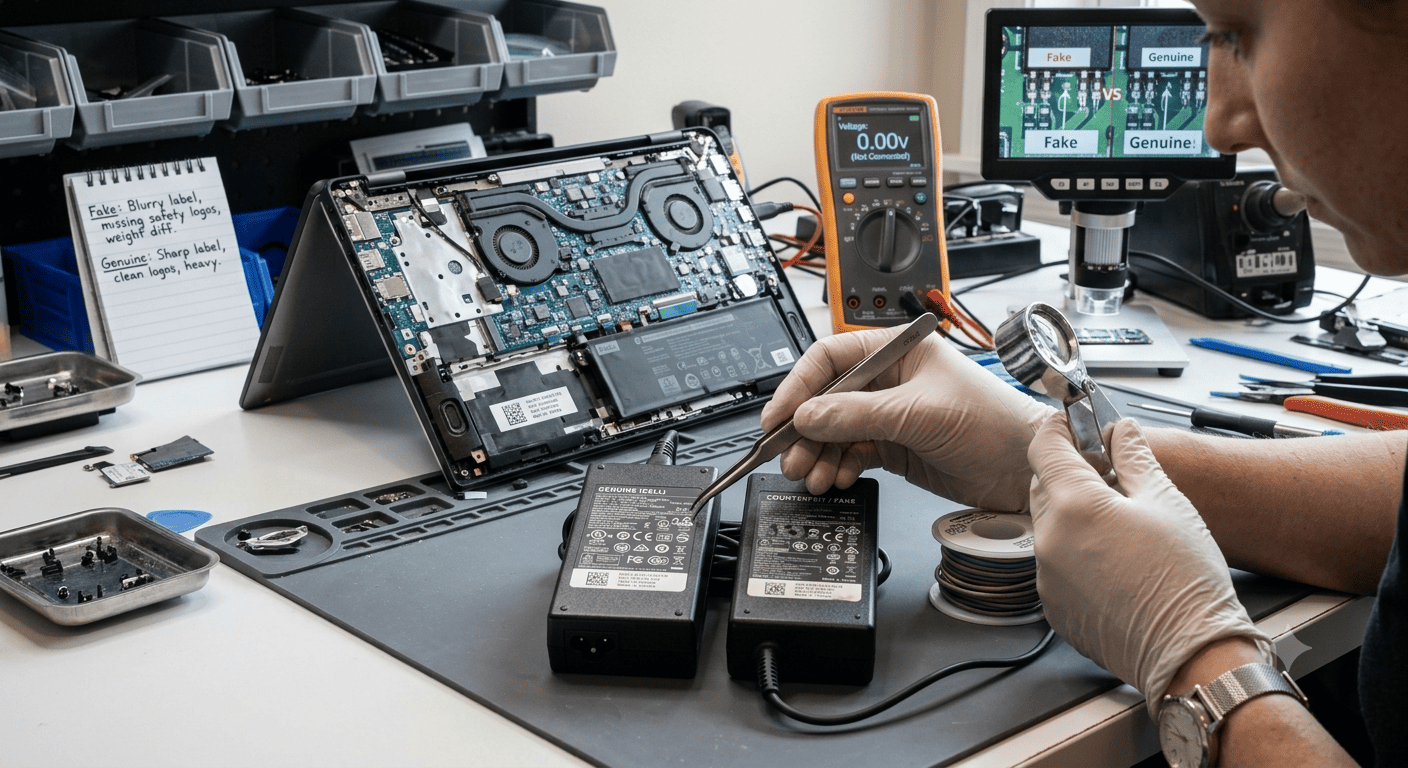
A laptop charger may look genuine on the outside, but counterfeit or poor-quality adapters can cause charging problems, overheating, unstable power, and even damage to the laptop's charging circuit. Fake chargers often use low-quality components, incorrect electrical ratings, poor insulation, and weak cables that may fail without warning.
Before using a replacement charger, it's important to check its voltage, current, wattage, connector, labeling, build quality, and compatibility with your laptop. A charger that physically fits the port is not necessarily safe or suitable for the device.
In this guide, you'll learn how to identify a fake laptop charger, what warning signs to look for, and when professional testing is recommended. Guru Computer Solution can also help verify questionable adapters and diagnose charging problems before they cause further damage.
Problem
Using a counterfeit or incompatible laptop charger can create serious charging and power problems. The laptop may charge slowly, repeatedly connect and disconnect, become unusually hot, or show a "Plugged in, not charging" message.
In worse cases, a poor-quality adapter can produce unstable voltage, excessive electrical noise, overheating, or inadequate protection against short circuits and power surges. Continued use may damage the laptop's charging port, battery, charging IC, MOSFETs, or motherboard.
What Problem Is the Customer Facing?
Customers often purchase replacement chargers because their original adapter is lost, damaged, or expensive to replace. Online marketplaces and unauthorized sellers may offer seemingly identical chargers at much lower prices.
The charger may appear to work initially, but problems can develop after days or weeks. The adapter may become extremely hot, produce unusual sounds, smell like burning plastic, or cause the laptop to charge intermittently.
Many users check only whether the connector fits. However, a safe charger must also provide the correct output voltage, sufficient current, appropriate wattage, correct polarity where applicable, and proper communication/protection features.
Root Causes of the Problem
Fake or poor-quality laptop chargers commonly have:
1. Incorrect Electrical Ratings
A counterfeit adapter may claim to provide the same voltage and wattage as the original but fail to deliver those specifications under real load.
2. Low-Quality Internal Components
Cheap capacitors, transformers, MOSFETs, cables, and other components can reduce reliability and increase heat generation.
3. Poor Insulation
Low-quality insulation can increase the risk of electrical leakage, short circuits, or electric shock.
4. Incorrect Connector
A connector may physically fit while having incorrect electrical specifications or poor contact with the laptop's charging port.
5. Fake Branding or Labels
Counterfeit adapters may copy manufacturer logos, model numbers, certification marks, and specifications. Poor printing, spelling mistakes, inconsistent fonts, or missing information can be warning signs.
6. Insufficient Wattage
A charger with insufficient wattage may struggle to power the laptop during demanding workloads. This can lead to slow charging, battery drain while plugged in, or performance throttling.
7. Poor Cable Construction
A thin or poorly constructed cable can cause voltage drop, heating, intermittent charging, or premature failure.
8. Missing Safety Protection
Quality adapters normally include protection mechanisms such as over-current, over-voltage, short-circuit, and over-temperature protection. Counterfeit products may lack adequate protection.
How Can Customers Identify a Problematic Charger?
Watch for these warning signs:
- Charger becomes excessively hot
- Laptop charges intermittently
- Charging starts and stops repeatedly
- Battery charges unusually slowly
- Laptop displays a charger or adapter warning
- Charger makes buzzing or whining sounds
- Burning or unusual plastic smell
- Cable becomes hot near the connector
- Charger casing feels unusually lightweight or poorly assembled
- Laptop performance drops while charging
- Battery drains even when plugged in
- Charging port becomes unusually warm
- Charger causes electrical sparks or tingling
- Adapter suddenly stops working
Important: If a charger produces smoke, a strong burning smell, visible damage, or significant electrical arcing, disconnect it from power and stop using it.
Possible Solutions
1. Check the Charger Label
Compare the adapter's specifications with the laptop manufacturer's requirements.
Check:
- Input voltage
- Output voltage
- Output current
- Wattage
- Model/part number
- Polarity where applicable
- Manufacturer information
For example, a charger rated at 19.5V × 3.34A provides approximately 65W.
2. Compare the Charger with the Original Adapter
If you still have the original charger, compare:
- Model number
- Output specifications
- Connector size
- Cable thickness
- Build quality
- Weight
- Label quality
Small differences can indicate that the replacement is not genuine or is intended for a different laptop.
3. Check the Connector
The connector should fit securely without excessive looseness.
A poor-fitting connector can cause:
- Intermittent charging
- Arcing
- Heat buildup
- Charging port damage
For USB-C chargers, physical compatibility alone is not enough. The charger, cable, and laptop must support the required USB Power Delivery capabilities.
4. Measure Charger Output
A technician can use appropriate electrical test equipment to verify whether the adapter is producing the expected output voltage.
A charger that shows an incorrect or unstable output should not be used.
Do not open a mains-powered charger yourself. Internal components can retain dangerous voltages even after the adapter is unplugged.
5. Check Charger Temperature
Some warmth during normal operation can be expected, but an adapter that becomes excessively hot, smells unusual, or repeatedly shuts down under load should be investigated.
Temperature alone does not prove a charger is fake, but excessive heat combined with other warning signs is a strong reason to stop using it.
6. Check USB-C PD Chargers Correctly
For USB-C laptops, don't judge a charger only by its printed wattage.
Check whether it supports:
- USB Power Delivery
- Appropriate voltage profiles
- Required power level
- Suitable USB-C cable rating
- Laptop-specific charging requirements
A 100W label does not automatically mean every USB-C laptop will receive 100W.
7. Replace a Suspicious Charger
If the charger has questionable labeling, poor construction, unstable output, overheating, or other warning signs, replacing it with a genuine or properly certified compatible adapter is safer than continuing to use it.
8. Diagnose the Laptop if Charging Problems Continue
If a known-good charger still doesn't charge the laptop correctly, the problem may be inside the laptop.
Technicians can inspect:
- DC charging port
- USB-C charging port
- Battery
- Charging IC
- MOSFETs
- Input power circuit
- Motherboard charging circuitry
Why Choose Guru Computer Solution?
1. Certified Technicians
Our technicians can diagnose laptop charging problems and help determine whether the adapter or laptop hardware is responsible.
2. Genuine Parts
We recommend genuine or reliable compatible chargers based on the laptop's actual power requirements.
3. Fast Turnaround
Charger testing, replacement, and basic charging diagnostics can often be completed quickly.
4. Warranty Support
Eligible replacement products and repair services include warranty support.
5. Affordable Pricing
We provide transparent recommendations so you don't spend money replacing parts unnecessarily.