Professional Cleaning, Thermal Paste Replacement & Performance Optimization
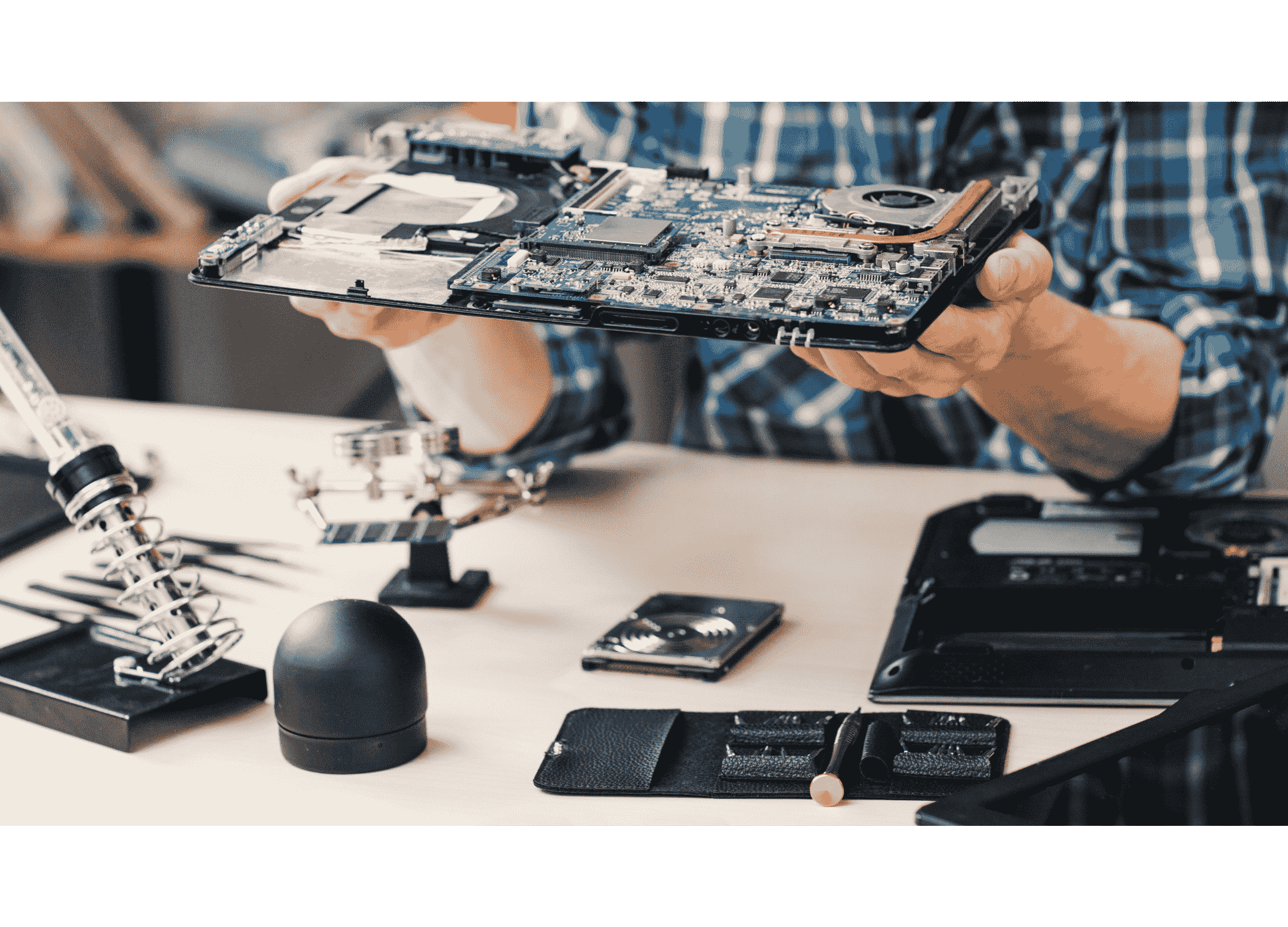
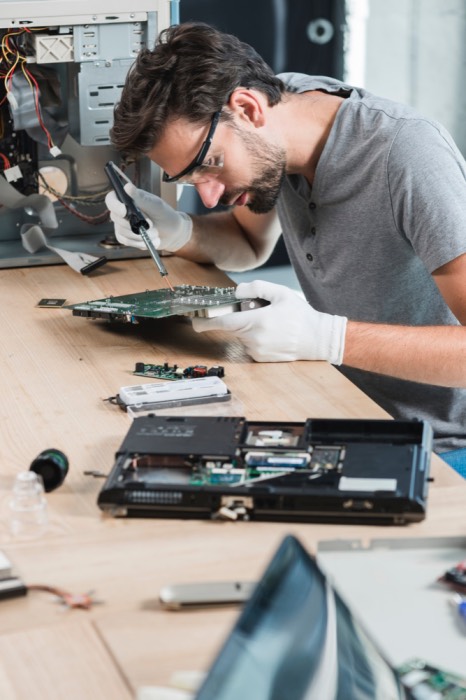
In the heart of Kathmandu, where dust, fluctuating power, and daily commutes take a toll on electronics, keeping your laptop or desktop in top condition is not a luxury – it is a necessity. Laptop servicing is the professional process of opening your device, removing accumulated dust and debris, replacing degraded thermal paste, inspecting cooling components, and verifying that every part functions within safe temperature and performance parameters. It goes far beyond a simple external wipe-down. It involves precision disassembly, expert cleaning, and testing that only experienced technicians can deliver.
Regular servicing is important because modern laptops and desktops pack high-performance processors and graphics chips into tight spaces. Over time, dust clogs the cooling system, thermal paste dries out, and airflow is compromised. The result is overheating, performance throttling, random shutdowns, and a shortened lifespan of expensive components. By servicing your device on a schedule, you prevent these problems, maintain fast and stable operation, and avoid costly motherboard or GPU repairs that often result from long-term heat exposure.
Who should service their device? Honestly, every laptop and desktop owner in Kathmandu. Office workers who rely on their machine for daily productivity, students who use laptops for assignments and online classes, creative professionals rendering graphics or videos, and especially gamers pushing hardware to its limits – all benefit from regular professional servicing. Even a casual home user browsing the web will notice fan noise reduce and battery life stabilize after a proper clean-up. If your laptop is more than one year old, it has likely collected enough dust to need servicing.
What is the average recommended servicing interval? For most office and student laptops, an 8- to 12-months cycle works well. Gaming laptops and machines used in heavily dusty or construction-heavy areas of the Valley need servicing every 4-6 months. Desktops, while easier to open, still collect dust inside the cabinet and on CPU coolers, benefiting from a 6- to 12-month service. Following this schedule keeps your device running as if it were new for years longer.
What is Laptop Servicing?
When you bring your laptop to Guru Computer Solution for servicing, we carefully inspect and clean your device to restore cooling performance, cleanliness, and stability. Here's what our laptop servicing includes:
Internal Dust Cleaning
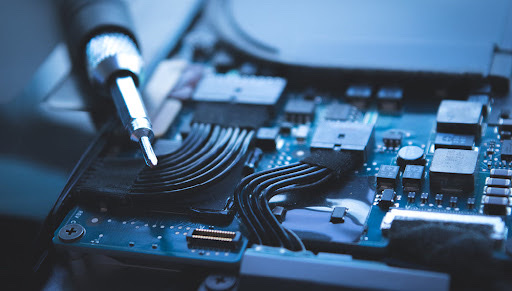
The most fundamental step is removing dust from every internal surface. Our technicians carefully open the back cover and use anti-static brushes, compressed air, and precision vacuum tools to eliminate dust without damaging sensitive electronics. Every speck of debris that blocks airflow is removed.
- Fan cleaning: Laptop cooling fans are magnets for fine dust that cakes onto blades, unbalancing the fan and reducing RPM. We clean each blade and the fan housing thoroughly, often disassembling the fan assembly itself if the model allows.
- Heat sink cleaning: Heat sink fins are densely packed to maximize surface area. Dust clogs these tiny gaps, stopping air from carrying heat away. We flush out the fins until they are spotless.
- Air vent cleaning: The intake and exhaust vents on the bottom, sides, and rear of the laptop trap dust and lint. Restoring clear vents immediately drops internal temperatures.
Thermal Paste Replacement
Between the CPU/GPU die and the heatsink lies a layer of thermal paste that fills microscopic gaps and transfers heat. Factory paste dries, cracks, and loses efficiency after 1-2 years. We carefully remove old paste with 99% isopropyl alcohol, apply a fresh, high-performance thermal compound (such as Arctic MX-6 or Thermal Grizzly Kryonaut), and remount the cooler with even pressure.
Cooling System Inspection
We inspect heat pipes for damage or leakage, check the fan for bearing wear or unusual noise, verify that the fan spins freely, and ensure the heatsink makes proper contact. Any loose mounting screws are tightened to correct torque.
Keyboard Internal Cleaning
Dust, hair, and food particles inevitably slip under the keys. From the inside, we clean beneath the keyboard area to prevent sticky keys, erratic typing, and potential short circuits.
Motherboard Dust Removal
Fine dust can settle on the motherboard, absorbing moisture and creating conductive paths. We gently clean the entire PCB, paying special attention to areas around VRM and charging ICs where even slight contamination can cause problems.
Fan Lubrication (When Applicable)
Some fans have accessible bearings that benefit from a drop of specialist lubricant to reduce friction, eliminate grinding noises, and extend fan life. We assess each fan and lubricate if the design permits.
SSD/HDD Health Check
We run diagnostic scans on your storage drive, checking S.M.A.R.T. parameters for reallocated sectors, read errors, and overall health. Catching a failing drive early can save all your data.
RAM Cleaning
Memory modules are removed, their gold contacts cleaned with an electronics-grade contact cleaner, and the slots inspected for dust or corrosion. Clean contacts prevent memory errors, blue screens, and boot failures.
Temperature Testing
After reassembly, we run stress tests (Prime95, FurMark, or real-world benchmarks) while monitoring CPU and GPU temperatures using HWMonitor or similar tools. We ensure temperatures drop significantly compared to before servicing and fall within safe limits.
Performance Testing
We check boot time, application launch speed, and system responsiveness. While servicing itself does not alter software, resolving thermal throttling restores full clock speeds, making the laptop feel noticeably snappier.
Final Quality Check
Every screw is accounted for, all cables are reconnected, the exterior is cleaned, the screen is wiped, and the laptop is packed carefully. We verify that WiFi, Bluetooth, keyboard, touchpad, and all ports work perfectly before returning the device.
Why Does Your Laptop Need Servicing?
Many users wait until their laptop shuts down mid-meeting or burns their lap before seeking help. Regular servicing addresses root causes before they escalate. Here is exactly why servicing matters:
Prevents Overheating
Dust acts like a blanket on electronic components. When dust blocks the heat sink fins and coats fan blades, airflow is reduced dramatically. The CPU temperature climbs, and so does the GPU temperature. Modern processors throttle performance to protect themselves, but sustained high heat still degrades silicon. In extreme cases, the laptop triggers an emergency thermal shutdown to prevent permanent damage. Servicing eliminates the thermal blanket, allowing your laptop to breathe again. After a deep cleaning and paste replacement, it is common to see peak CPU temperatures drop by 15–25°C under load.
Improves Performance
A clean cooling system means your processor can maintain its maximum boost clock without throttling. Boot time decreases because the CPU isn’t power-limited by heat. Applications open faster, multitasking feels seamless, and lag in demanding programs like Adobe Premiere Pro or modern games disappears. Many customers report their laptop feeling “like new” simply because thermals are under control again.
Increases Laptop Lifespan
Heat is the enemy of electronics. Prolonged exposure to high temperatures accelerates electromigration in the processor, weakens solder joints, and degrades the motherboard’s VRM components and capacitors. By keeping temperatures low, you protect the motherboard, the processor, and the graphics chip – the three most expensive parts to replace. A regularly serviced laptop can easily last 5-7 years instead of failing in 2-3.
Reduces Fan Noise
When cooling fans are clogged or the thermal paste is dry, the system ramps up fan speed to compensate. The result is a constant, annoying whine even during light work. After servicing, fans operate at lower RPMs to maintain the same temperatures, reducing noise to near-silent levels for everyday tasks.
Prevents Expensive Repairs
A neglected laptop develops cascading failures. Examples of costly repairs that servicing helps avoid include:
- Motherboard repair: Overheating VRMs or charging ICs can short, requiring chip-level rework that costs Rs. 5,000–15,000.
- GPU failure: Repeated thermal cycling can crack BGA solder balls under the graphics chip, leading to no-display issues requiring reballing or replacement (Rs. 8,000–25,000).
- Charging IC damage: Dust and heat around the DC-in area can damage the charging circuit, preventing the battery from charging.
- SSD failure: Although SSDs are resilient, excessive heat in cramped laptop bays can accelerate NAND wear and controller failure, leading to permanent data loss.
Servicing costs a fraction of these repairs and keeps your device reliable.
Signs Your Laptop Needs Servicing
Look for these warning signs. If you experience even one, it is time for a professional check-up:
- Laptop gets hot quickly: Within minutes of powering on, the bottom panel or keyboard feels uncomfortably warm.
- Fan making loud noise: A constant, high-pitched whir or grinding sound, indicating dust build-up or failing bearings.
- Laptop shuts down automatically: Thermal protection kicks in, often during gaming or video rendering, and the machine turns off without warning.
- Battery drains faster: Because the fan runs at maximum speed constantly to fight overheating, power consumption increases.
- Keyboard becomes warm: Heat radiating through the keyboard deck, especially around the WASD keys or the center, suggests saturated heat pipes.
- Game FPS drops: Throttling reduces frame rates, causing stuttering and lag in titles that used to run smoothly.
- Laptop becomes slow: General sluggishness, long loading times, and delayed response can be thermal throttling in disguise.
- Blue screen: Overheating can cause WHEA_UNCORRECTABLE_ERROR or CLOCK_WATCHDOG_TIMEOUT stops.
- Random freezing: The system hangs momentarily as it tries to reduce clock speeds to cool down.
- High CPU temperature: Idle temperatures above 50–60°C or load temperatures exceeding 90–95°C are abnormal.
- High GPU temperature: Dedicated GPU exceeding 85°C consistently under load.
Recommended Servicing Schedule
Different usage patterns demand different service frequencies. Below are our recommendations, factoring in Kathmandu’s dusty environment:
- Office Laptop Every 8–12 Months
- Student Laptop Every 8–12 Months
- Gaming Laptop Every 4–6 Months
- Graphic Design Laptop Every 6 Months
- Video Editing Laptop Every 6 Months
- Laptop Used in Dusty Environment Every 3–6 Months
- Desktop (Office) Every 6–12 Months
- Desktop (Gaming/Workstation) Every 6 Months
Explanation: Office and student laptops generally run light applications (documents, browsers, video calls) and generate moderate heat. Dust accumulation happens slowly, so annual servicing is adequate. Gaming laptops pack high-TDP CPUs and GPUs that pull air aggressively, sucking in dust much faster. Graphic design and video editing laptops sit in between, often running at high load for hours, demanding biannual cleaning. If your home or office is near a dusty road, construction site, or you have pets, reduce the interval to 3-6 months irrespective of device type.
Normal Laptop Servicing
What is Included?
Normal servicing is a non-intrusive cleaning and performance verification. We do not remove the motherboard or heat sink from the chassis. The process includes:
- External cleaning of lid, keyboard, screen, and ports.
- Removal of bottom panel.
- Blowing out loose dust with compressed air.
- Detailed fan cleaning (accessible without full disassembly).
- Heat sink fin cleaning from the exterior side.
- Air vent clearance.
- Basic temperature check with software.
- Quick performance test to ensure no throttling.
Best For
- Office users who primarily work indoors in relatively clean environments.
- Students with thin-and-light laptops that are less than 2 years old.
- Home users whose devices haven't yet shown serious overheating symptoms.
Average Time
30–60 Minutes.
Cost Range
- Normal Laptop: Rs. 800–1,500
- Business Laptop (ThinkPad, EliteBook, Latitude): Rs. 1,200–2,000
- Prices vary by model complexity. Easy-to-open consumer laptops fall on the lower end; enterprise laptops with robust chassis may require more labor.
Deep Laptop Servicing
What is Deep Cleaning?
Deep cleaning involves complete dismantling of the laptop. The motherboard is separated from the chassis, the heat sink assembly is unbolted from the CPU and GPU, the fan is detached from the heat sink, and every nook is accessible. This is the only way to replace thermal paste properly and clean the interior to a factory-fresh state.
Includes
- Full disassembly of the laptop down to the bare chassis.
- Motherboard cleaning with anti-static brush and alcohol.
- Individual fan servicing: cleaning blades, checking bearings, and lubricating if possible.
- Heat sink thoroughly flushed and fins aligned.
- Premium thermal paste replacement on CPU and GPU dies.
- Keyboard internal cleaning from the reverse side.
- Hinge inspection and lubrication or tightening.
- Internal cable inspection for wear, pinching, or loose connectors.
- SSD and RAM removal, contact cleaning, and re-seating.
- Fan lubrication.
- Comprehensive temperature testing under load for 15-30 minutes.
- Reassembly with precise torque and cable routing.
Best For
- Gaming laptops that generate extreme heat.
- Older laptops (2+ years) that have never been opened.
- Overheating laptops where normal cleaning failed to lower temperatures.
- Heavy users who run rendering, simulations, or virtual machines.
- Devices in dusty environments.
Average Time
1–3 Hours depending on model complexity.
Cost Range
- Gaming Laptop: Rs. 2,500–4,500
- Non-Gaming Laptop: Rs. 1,800–3,000
The higher cost reflects the extra labor, skill, and materials (premium paste) required.
Gaming Laptop Servicing
Why Gaming Laptops Need More Frequent Servicing?
Gaming laptops pack desktop-class performance into a portable chassis. They feature high-performance CPUs with boost clocks above 4.5 GHz and dedicated GPUs that can draw over 100 watts. This hardware produces tremendous heat that the cooling system must dissipate. Twin fans spin at 5,000–7,000 RPM, pulling in massive volumes of air – along with every dust particle in the room. Dust accumulates on heat sinks twice as fast, and thermal paste degrades under the intense thermal cycling. Neglecting servicing leads to immediate FPS drops and long-term damage.
Gaming Laptop Deep Cleaning Includes
Our gaming laptop service adds specialized steps:
- Dual fan cleaning (both fans completely disassembled and cleaned).
- Dual heat sink cleaning with focus on tiny fin gaps.
- VRAM inspection: ensuring thermal pads on video memory and VRM are intact and not dried out. If damaged, we replace them.
- GPU thermal paste replacement using high-viscosity, high-performance paste that resists pump-out under direct-die pressure.
- CPU thermal paste replacement.
- Thermal pad inspection: thickness and condition checked, replaced with Gelid or Arctic pads if needed.
- Post-service stress test using FurMark + Prime95 simultaneously to verify thermal headroom.
Recommended Interval
Every 4–6 Months.
Average Cost
- Entry Level Gaming (GTX 1650/RTX 2050): Rs. 2,500–3,000
- Mid Range Gaming (RTX 3050/3060/4050/4060): Rs. 3,000–4,000
- High End Gaming (RTX 3070/3080/4070/4080/4090): Rs. 4,000–5,500
Non-Gaming Laptop Servicing
Suitable Devices
We service all major consumer and business models:
- Dell Inspiron, Vostro
- HP Pavilion, Envy, ProBook
- Lenovo IdeaPad, ThinkPad, Yoga
- Acer Aspire, Swift, Spin
- Asus VivoBook, ZenBook, ExpertBook
- And many others
Recommended Interval
8–12 Months.
Average Cost
- Student Laptop: Rs. 800–1,500 (Normal) | Rs. 1,500–2,500 (Deep)
- Office Laptop: Rs. 1,000–1,800 (Normal) | Rs. 1,800–2,800 (Deep)
- Business Laptop (Enterprise grade): Rs. 1,500–2,500 (Normal) | Rs. 2,500–3,500 (Deep)
Desktop Computer Servicing
Desktop servicing is just as critical, though easier to ignore because the tower sits on the floor collecting dust bunnies. A full desktop service includes:
- Cabinet cleaning: All panels removed, interior vacuumed and blown out.
- Motherboard cleaning: Dust removed from VRM heatsinks, chipset, and PCB surface.
- CPU cooler cleaning: Tower cooler or AIO radiator and fans disassembled, dust removed from fins.
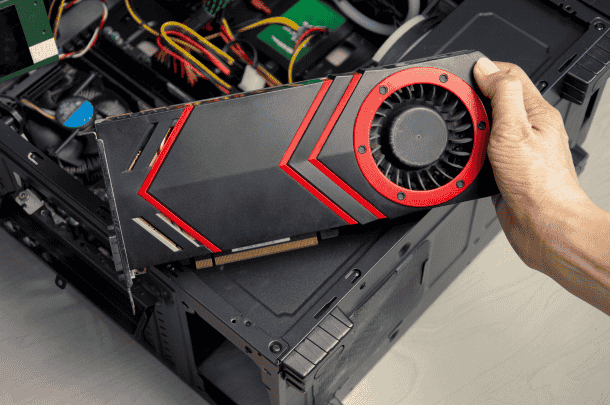
- Graphics card cleaning: Shroud removed, heatsink blown out, fans cleaned, thermal paste replaced on the GPU die.
- Power supply cleaning: Exterior and fan grills cleaned (internal PSU cleaning done cautiously to avoid shock hazards).
- RAM cleaning: Modules removed, contacts cleaned.
- SSD/HDD cleaning: Drive bays cleaned, SATA cables re-seated.
- Cable management: Tidy up routing for better airflow.
- Thermal paste replacement on CPU (and GPU if applicable).
- All case fans cleaned.
Recommended Interval
Every 6–12 Months.
Average Cost
- Office Desktop: Rs. 1,500–2,500
- Gaming Desktop: Rs. 2,500–4,500
- Workstation: Rs. 3,500–6,000
Servicing Cost Guide
Below is a comprehensive cost reference for laptop and desktop servicing at Guru Computer Solution, Kathmandu. All prices are indicative and may vary slightly based on exact model and condition.
Laptop Servicing Cost
- Device Category Normal Servicing Deep Servicing
- Normal Laptop (Student/Home) Rs. 800 – 1,500 Rs. 1,500 – 2,500
- Business Laptop (ThinkPad, Latitude, EliteBook) Rs. 1,200 – 2,000 Rs. 2,000 – 3,500
- Ultrabook (ZenBook, XPS, MacBook Air) Rs. 1,500 – 2,500 Rs. 2,500 – 4,000
- Gaming Laptop (Entry) — Rs. 2,500 – 3,000
- Gaming Laptop (Mid) — Rs. 3,000 – 4,000
- Gaming Laptop (High-End) — Rs. 4,000 – 5,500
- MacBook Pro (Retina/Touchbar) — Rs. 3,500 – 6,000
- Desktop Servicing Cost
- Device Category Servicing Cost
- Office Desktop Rs. 1,500 – 2,500
- Gaming Desktop Rs. 2,500 – 4,500
- High-End Workstation Rs. 3,500 – 6,000
Issue-wise Repair Cost Guide
If you’re experiencing a specific problem, here’s what you might expect to pay, separate from routine servicing:
Issue Estimated Cost Range
- Overheating (Cleaning + Paste) Rs. 1,500 – 3,500
- Fan Replacement Rs. 1,200 – 3,000 (depending on model)
- Thermal Paste Replacement Only Rs. 800 – 2,000
- Keyboard Cleaning (Internal) Rs. 500 – 1,000
- SSD Upgrade (with cloning) Rs. 500 – 1,500 labor + SSD cost
- RAM Upgrade Rs. 300 – 800 labor + RAM cost
- Liquid Damage Cleaning (Board Level) Rs. 2,500 – 6,000
- Motherboard Cleaning (Ultrasonic) Rs. 2,000 – 4,000
- Hinge Repair Rs. 1,500 – 3,500
- Screen Cleaning (Internal dust spots) Rs. 1,000 – 2,000
Why Gaming Laptop Servicing Costs More
Gaming laptops demand more time, skill, and better materials. Here’s a detailed breakdown:
- More Components: A gaming laptop has dedicated GPU, larger heat sinks, multiple fans, and often elaborate lighting and daughter boards. Disassembly is more complex and time-consuming.
- Dual Cooling System: Two fans and shared heat pipes mean double the work for cleaning and re-pasting.
- Premium Thermal Paste Required: Gaming GPUs and CPUs run hotter, so we use top-tier pastes (Thermal Grizzly Kryonaut, Arctic MX-6) that cost significantly more than standard paste. These pastes provide higher thermal conductivity and resist pump-out under direct-die mounting.
- More Time Required: A full gaming laptop deep clean can take 2-3 hours, versus 1-1.5 hours for an ultrabook. The meticulous reassembly and cable routing demand patience and expertise.
- Advanced Testing: We must run combined CPU+GPU stress tests to ensure stability under gaming loads, which adds 30 minutes of monitoring.
- Expensive Internal Components: Working on an RTX 4080 laptop with vapor chamber cooling demands extreme care; one mistake could damage a part worth tens of thousands. Our pricing reflects the liability and expertise.
Materials We Use
Quality materials separate professional servicing from roadside shops. At Guru Computer Solution, we invest in industry-leading consumables.
Premium Thermal Pastes
We stock several pastes and choose the best one for your device:
- Arctic MX-6: Excellent all-rounder with 7.5 W/mK conductivity, non-conductive, easy to spread, durable. Ideal for most laptops and desktops.
- Arctic MX-4: Proven reliability, long lifespan, suitable for office laptops and general use.
- Thermal Grizzly Kryonaut: Ultra-high performance (12.5 W/mK), designed for overclocking and high-heat gaming laptops. Best for high-end gaming machines and workstations.
- Noctua NT-H2: Premium paste with low thermal resistance, great for both CPU and GPU applications, excellent long-term stability.
- Cooler Master MasterGel: High viscosity, good for direct-die GPU applications to minimize pump-out.
- Corsair XTM70: High conductivity, dense compound for extreme loads.
We explain suitability: Kryonaut for RTX 4080/4090 laptops, MX-6 for mainstream gaming, MX-4 for office laptops.
Thermal Pads
VRMs, VRAM, and chokes need pads of precise thickness. We use:
- Gelid GP-Extreme: High compressibility, 12 W/mK, excellent for uneven surfaces.
- Thermalright Odyssey: Non-conductive, available in multiple thicknesses, reliable performance.
- Arctic TP-3: Cost-effective, good for standard replacements.
- Fujipoly: Ultra-high performance (17 W/mK), used in workstations and flagship GPUs.
Cleaning Solutions
- 99% Isopropyl Alcohol: Removes old thermal paste and flux without residue. Fast-drying and safe for electronics.
- Electronic Contact Cleaner: Spray for cleaning RAM slots, connectors, and ports; improves connectivity.
- Anti-static Cleaning Solution: For wiping exterior surfaces without attracting dust.
Cleaning Equipment
- Anti-static Brush: Soft bristles with dissipative handles to clean PCBs safely.
- Air Blower: High-pressure electric blower, no moisture, no static.
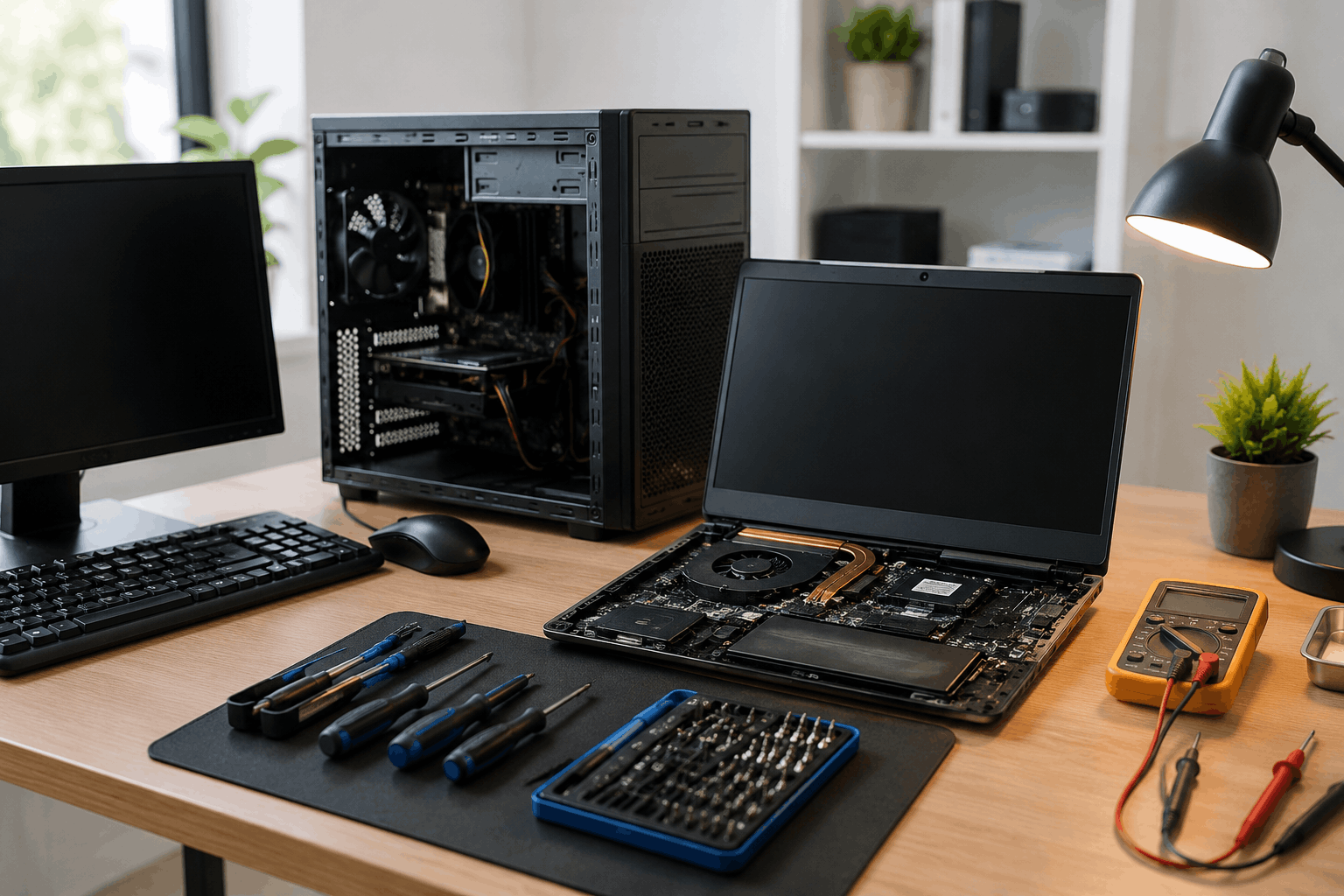
- Precision Screwdriver Kit: Magnetized bits for all laptop screw types (Phillips, Torx, Pentalobe).
- ESD Mat: Grounded work surface to prevent static discharge.
- ESD Wrist Strap: Worn by technicians to equalize potential and protect components.
- Microfiber Cloth: Lint-free for screens and exteriors.
- Compressed Air Can: For spot cleaning stubborn dust in tight fins.
Thermal Paste vs Thermal Putty
Both materials serve to transfer heat, but they are different products for different applications.
What is Thermal Paste?
A viscous compound applied in a thin layer between the CPU/GPU die and the heatsink. Its purpose is to fill microscopic air gaps and conduct heat from the silicon to the cooler. Used on processor dies, GPU dies, and sometimes on integrated heat spreaders. Popular brands: Arctic MX-6, Thermal Grizzly Kryonaut, Noctua NT-H2.
What is Thermal Putty?
Thermal putty is a pliable, clay-like substance used to fill larger, inconsistent gaps – typically between VRAM modules, VRM components, and the heatsink. Unlike pads, putty conforms perfectly to varying heights without needing exact thickness measurement. It is used on graphics card VRAM, laptop VRMs, and other areas where multiple components of slightly different heights need cooling. Popular brands: Upsiren UX Pro, Laird Tflex, Halnziye HY series, K5-Pro (viscous paste-like putty), EVGA Thermal Putty.
Which One is Better?
Thermal Paste
- Used on the CPU and GPU chips.
- Best for very thin gaps (less than 0.1 mm).
- Requires careful application for proper heat transfer.
- Must be cleaned off and replaced whenever the heatsink is removed.
- Offers very high thermal conductivity (typically 6–14 W/mK).
- Commonly applied between the CPU/GPU and the heatsink.
Thermal Putty
- Used on VRAM, VRM, and other surrounding components.
- Ideal for uneven or larger gaps (up to around 3 mm).
- Easy to apply by pressing it into place.
- Can sometimes be reused if it remains soft and flexible.
- Provides moderate to high thermal conductivity (typically 3–10 W/mK).
- Commonly used on components around the CPU/GPU that contact the heatsink.
We use both appropriately: paste on the CPU and GPU dies, and putty or pads where the manufacturer originally used them, ensuring original thermal performance is restored or improved.
Laptop Brands We Service
Our engineers have years of experience across every major brand, each with its unique design quirks. We service:
- Dell (Inspiron, Vostro, Latitude, XPS, Precision)
- HP (Pavilion, Envy, Spectre, EliteBook, ProBook, Omen)
- Lenovo (IdeaPad, ThinkPad, Yoga, Legion, LOQ)
- Acer (Aspire, Swift, Spin, Nitro, Predator)
- Asus (VivoBook, ZenBook, TUF Gaming, ROG, ExpertBook)
- MSI (GF, GL, GS, GE, Raider, Stealth, Titan)
- Apple MacBook (Air, Pro – all generations including M1/M2/M3)
- Razer (Blade series)
- Gigabyte (Aorus, Aero)
- Alienware (M, X series)
- Toshiba (Dynabook, Satellite)
- Sony (VAIO)
- Fujitsu (Lifebook)
- Samsung (Galaxy Book, Notebook)
- Huawei (MateBook, Honor)
No matter how rare or complex your device, our chip-level repair lab and service experience cover it.
Why Choose Guru Computer Solution?
When you choose us for laptop and desktop servicing in Kathmandu, you benefit from:
- Certified Engineers: Our technicians hold certifications in hardware repair and have years of hands-on experience.
- Chip-Level Repair Lab: We don’t just clean; we can diagnose and fix motherboard-level faults if any are discovered during service.
- Professional Diagnostic Equipment: We use thermal cameras, multimeters, oscilloscopes, and programmable DC power supplies for thorough testing.
- Premium Thermal Paste Only: We never use cheap white silicone paste. Only branded, high-conductivity compounds go into your device.
- Genuine Spare Parts: If a fan, hinge, or other part needs replacement, we source OEM quality parts.
- Fast Turnaround Time: Normal servicing often done within the hour; deep cleaning returned same-day or within 24 hours.
- Transparent Pricing: We provide a quote before starting any work. No hidden charges.
- Free Basic Diagnosis (if applicable): Bring your laptop in, and we’ll do a quick temperature and fan health check free of charge.
- Warranty on Selected Repairs: Servicing carries a satisfaction warranty; if you face issues within a reasonable window, we’ll recheck at no cost.
- Experienced Gaming Laptop Specialists: We understand GPU VRM cooling, vapor chambers, and Liquid Metal precautions.
- Thousands of Happy Customers: From students to corporate houses, our reputation is built on trust.
- Multiple Service Centers in Kathmandu: Conveniently located to serve you wherever you are in the Valley.
Discount & Offer Criteria
We believe in making professional servicing accessible. Our discount programs are:
Student Discount
- Requirements: Valid student ID card from a recognized school, college, or university.
- Discount: 10% off on normal and deep servicing labor charges.
- Applicability: Laptop servicing only (not applicable on parts or liquid damage repair).
Corporate Discount
- Requirements: Company ID or letterhead for bulk servicing.
- Discount: Up to 15% for bulk devices (minimum 5 laptops).
- Priority pickup and delivery available for corporate clients.
Bulk Repair Discount
- 5+ devices: 10% off total service cost.
- 10+ devices: 15% off total service cost.
- School/College packages: Special rates for entire computer labs or student batches.
Seasonal Offers
Look out for discounts during:
- Dashain
- Tihar
- New Year (Bikram Sambat and Gregorian)
- Back to School season
Terms & Conditions
- Discounts cannot be combined with other offers.
- Valid ID is required to avail student or corporate discount.
- Discounts apply only to eligible service labor, not on parts or accessories.
- Parts and accessories may be excluded from percentage discounts.
- Offer availability may change without prior notice. Please confirm when booking.
Frequently Asked Questions (FAQ)
1. How often should I service my laptop?
For general use, you should service your laptop every 8–12 months. If you use a gaming laptop or work in a dusty environment, servicing every 4–6 months is recommended to maintain optimal cooling and performance.
2. Does servicing increase laptop speed?
Yes, indirectly. Servicing removes dust, improves cooling, and reduces thermal throttling, allowing the CPU and GPU to maintain their intended clock speeds. This makes your laptop more responsive and improves overall performance.
3. Is thermal paste replacement necessary?
Yes. Over time, factory-applied thermal paste dries out and loses its effectiveness. Replacing it with a high-quality thermal compound can reduce temperatures by 10–20°C, improving performance and extending the lifespan of your laptop.
4. How long does laptop servicing take?
A standard laptop servicing usually takes 30–60 minutes. Deep cleaning and thermal paste replacement may require 1–3 hours, depending on the laptop model and its condition. Same-day service is available for most devices.
5. How much does laptop servicing cost in Kathmandu?
Normal laptop servicing starts from approximately Rs. 800. Deep cleaning and thermal paste replacement typically range between Rs. 1,500 and Rs. 5,500, depending on the laptop model and the level of service required.
6. Can servicing fix overheating?
In most cases, yes. Overheating is commonly caused by dust buildup, blocked cooling vents, and dried thermal paste. Professional servicing addresses these issues and helps restore proper cooling performance.
7. Is gaming laptop servicing different?
Yes. Gaming laptops require more detailed servicing because they generate higher temperatures. They often have dual fans, multiple heat pipes, and dedicated GPU cooling systems that require thorough cleaning and premium thermal paste.
8. Do you use genuine thermal paste?
Yes. We use only genuine, high-quality thermal compounds from trusted brands such as Arctic, Thermal Grizzly, Noctua, and Cooler Master, sourced from authorized distributors.
9. Is my data safe during servicing?
Yes. We do not access or modify your personal files during servicing. However, we recommend backing up important data before any repair as a precaution.
10. Do you provide a servicing warranty?
Yes. We stand behind the quality of our work. If you experience abnormal temperature issues shortly after servicing, you can return for a free inspection and re-check.
11. Should I replace thermal paste every year?
For gaming or high-performance laptops, replacing thermal paste every 12 months is recommended. For office and everyday-use laptops, replacement every 1–2 years is generally sufficient.
12. Does dust damage the motherboard?
Yes. Dust traps heat, restricts airflow, and can absorb moisture over time. This may lead to corrosion, electrical shorts, and reduced hardware lifespan if left uncleaned.
13. Can servicing improve battery life?
Yes, indirectly. A properly cooled laptop consumes less power because the cooling fan doesn't need to work as hard, which can improve battery efficiency and runtime.
14. Do you service MacBooks?
Yes. We provide professional cleaning, thermal paste replacement (where applicable), and internal servicing for all MacBook models, including Intel-based MacBooks and Apple Silicon (M1, M2, M3, and newer) models.
15. Can I wait while my laptop is being serviced?
Yes. For standard servicing, you can wait in our reception area while the work is completed. For deep cleaning or more complex servicing, you may be asked to leave the laptop for a few hours, and we'll notify you as soon as it's ready.
Book Your Laptop or Desktop Servicing Today
Whether your device is running hot, slowing down, making unusual fan noise, or simply due for routine maintenance, regular servicing helps extend its lifespan and maintain peak performance. At Guru Computer Solution, our experienced technicians use premium thermal pastes, professional cleaning equipment, and industry-standard servicing procedures to keep your laptop or desktop in excellent condition.
Don’t wait for a sudden shutdown or an expensive motherboard failure. Visit our service center in Kathmandu, call us, or message us online to schedule your professional laptop or desktop servicing. Your device deserves expert care—let us bring it back to life.