A laptop fan plays an important role in keeping the processor and other internal components within a safe operating temperature. When the fan becomes noisy, stops spinning, or cannot move enough air, the laptop may start overheating, slowing down, or shutting down unexpectedly.
If you're searching for laptop fan replacement price in Nepal, you probably want to know more than just the cost of the replacement part. You also need to know whether your laptop actually needs a new fan, whether cleaning could solve the problem, what type of fan your laptop requires, and how much the complete replacement may cost.
Laptop Fan Replacement Price in Nepal
The price of a laptop fan in Nepal depends mainly on the laptop model, fan design, brand, cooling system and availability of the replacement part.
As an approximate Nepal market reference, standard laptop replacement fans can generally cost around NPR 1,500–3,500, while fans for specific models, premium laptops and gaming laptops can commonly fall around NPR 3,000–6,000 or more. Some specialized cooling fans or complete fan-and-heatsink assemblies can cost NPR 5,000–10,000+, depending on the laptop.
Gaming laptops can be more expensive to service because some models use dual fans, specialized cooling assemblies or separate CPU and GPU cooling systems. A standalone fan may therefore be cheaper than replacing the complete cooling assembly.
The replacement part price and the total service cost are not always the same. If the laptop needs disassembly, internal cleaning, thermal paste replacement and testing along with the new fan, the final repair cost can be higher.
These are approximate Nepal market prices and not fixed Guru Computer Solution prices. The exact price depends on the laptop model, required fan and availability of the replacement part.
Does Your Laptop Fan Actually Need Replacement?
A noisy or overheating laptop does not automatically mean that the fan needs to be replaced.
One of the most common causes of laptop overheating is simply dust buildup. Over time, dust can accumulate around the fan, heatsink and ventilation areas, restricting airflow. In this situation, the fan itself may still be perfectly functional and a proper internal cleaning may solve the problem.
Another possibility is old or degraded thermal paste. Thermal paste transfers heat from the CPU or GPU to the heatsink. When it becomes dry or loses its effectiveness, temperatures can rise and the fan may run at high speed more frequently.
Actual fan failure is different. If the fan has a damaged bearing, failing motor, broken blades or does not spin properly, cleaning may not solve the problem and replacement may be necessary.
This is why diagnosing the cooling system before purchasing a replacement fan can help prevent unnecessary expenses.
Signs Your Laptop Fan Is Failing
A failing laptop fan can produce several noticeable symptoms.
A grinding, rattling or clicking sound is one of the most common signs of mechanical fan damage. You may also notice that the fan starts and stops repeatedly instead of spinning smoothly.
Another obvious sign is a fan that does not spin at all even when the laptop becomes hot. If airflow is significantly reduced, CPU or GPU temperatures can rise quickly.
Other possible symptoms include:
- Excessive fan noise
- Laptop overheating
- Sudden shutdowns
- Performance slowing during heavy use
- Fan running continuously at maximum speed
- Very high CPU or GPU temperatures
- Unusual vibration from the laptop
- Burning or abnormal smell
However, these symptoms don't necessarily prove that the fan itself has failed. Dust, blocked vents, thermal paste problems and other hardware issues can produce similar symptoms.
Laptop Fan Cleaning vs Fan Replacement
Before replacing a laptop fan, it is important to determine whether the existing fan can simply be cleaned.
If the fan is spinning normally but is covered with dust, professional cleaning may be enough. Cleaning the fan, heatsink and ventilation system can restore airflow and reduce temperatures.
Fan replacement is more appropriate when the fan has a damaged bearing, faulty motor, broken blades or inconsistent operation.
For example, if your laptop fan makes a grinding noise even after cleaning, the bearing may be worn out. Similarly, if the fan does not spin even when the laptop is overheating, the fan or its electrical connection may need to be checked.
In some cases, the best cooling service involves both fan cleaning and thermal paste replacement. If the fan is healthy but the CPU or GPU is overheating because of degraded thermal paste, replacing the fan alone will not solve the underlying problem.
Original vs Compatible Laptop Fan
Laptop replacement fans are generally available as original/OEM parts or compatible replacement parts.
An original or OEM fan is designed for the specific laptop model and is generally the closest match to the fan originally installed by the manufacturer.
A compatible fan is produced by another manufacturer but is designed to work with a particular laptop model. A good-quality compatible fan can be a practical alternative when the original part is expensive or difficult to find.
The cheapest available fan is not always the best option. Differences in motor quality, bearing quality, airflow, noise and lifespan can affect how well the replacement performs.
The most important factor is that the replacement fan is actually compatible with the laptop. A fan that looks similar or has the same connector may still not provide the correct cooling performance.
Laptop Fan vs Fan + Heatsink Replacement
Not every laptop uses a cooling fan that can be replaced completely independently.
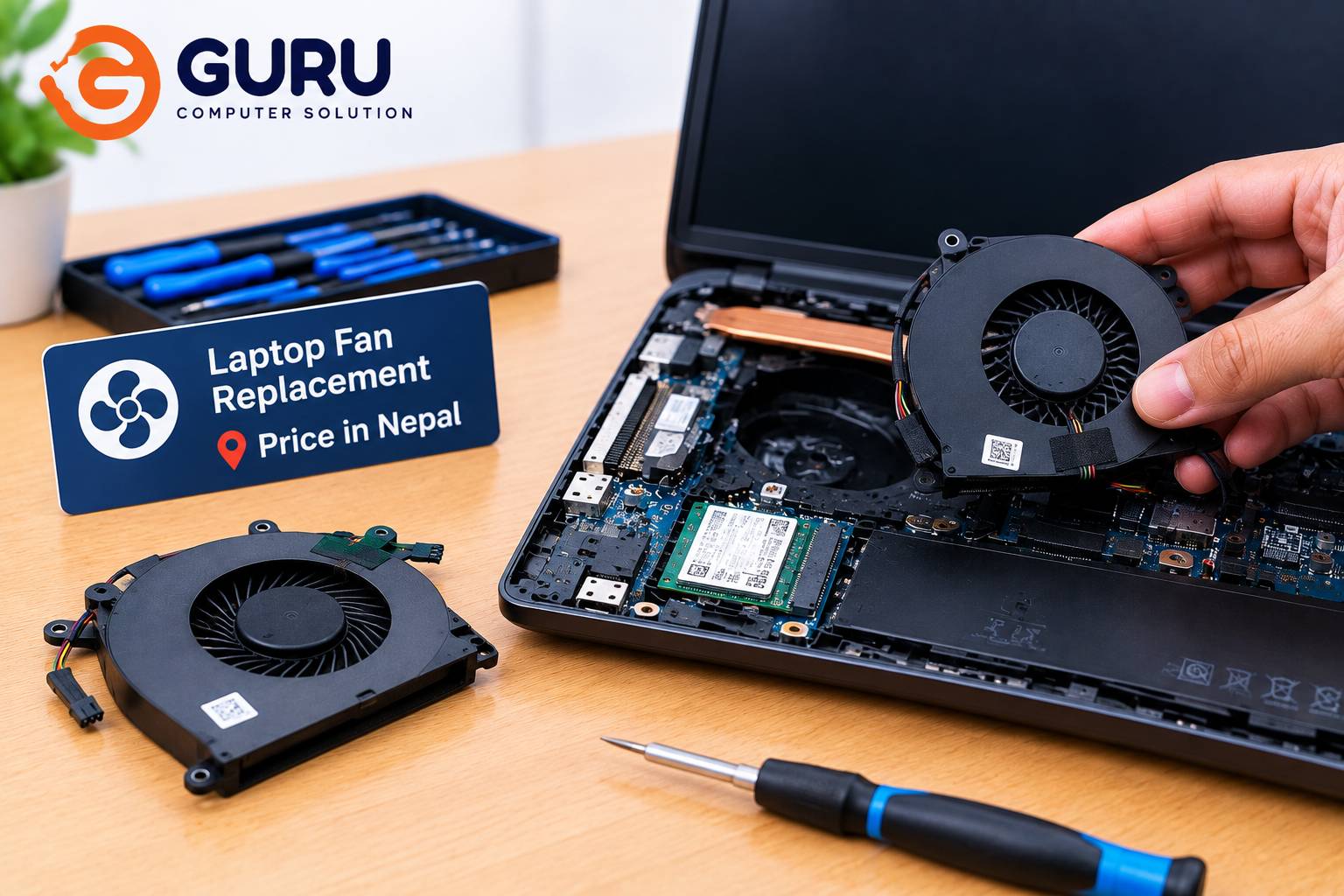
Some models use a fan and heatsink assembly, where the fan is attached to the heatsink or designed as part of a larger cooling module. In these cases, replacing the entire assembly can cost more than replacing a standalone fan.
This is particularly relevant for certain thin laptops and gaming laptops where the cooling system is designed specifically around the motherboard, CPU and GPU.
If the heatsink is also damaged, heavily clogged or otherwise unsuitable for reuse, replacing the complete assembly may be the better option.
How to Choose the Correct Replacement Laptop Fan
You should not purchase a laptop fan simply because it appears to have the same shape as your existing fan.
The correct replacement should be checked against the exact laptop model and, where possible, the fan's part number.
Important compatibility factors include:
- Laptop model
- Fan part number
- Connector type
- Voltage
- Physical dimensions
- Mounting points
- Fan orientation
- CPU/GPU cooling design
A fan that physically fits inside a laptop may still have the wrong electrical specifications or may not provide the required airflow.
For this reason, it is usually safer to identify the exact replacement part before purchasing it.
How Long Does Laptop Fan Replacement Take?
The time required for fan replacement depends heavily on the laptop's design.
A typical repair may involve diagnosis, laptop disassembly, fan removal, internal cleaning, fan installation, thermal paste inspection or replacement, reassembly and temperature testing.
Some laptops provide relatively easy access to the cooling system, while others require substantial disassembly to reach the fan and heatsink.
After replacement, the laptop should be tested under normal and heavier workloads to make sure the fan is spinning properly and temperatures remain under control.
Is Laptop Fan Replacement Worth It?
In most cases, replacing a faulty laptop fan is much cheaper than replacing an otherwise functional laptop.
If the laptop has a healthy display, motherboard, battery and storage and the primary problem is a failed cooling fan, replacing the fan can significantly extend the laptop's useful life.
The decision becomes more complicated with an older laptop that already has several major problems. If the laptop also needs a new battery, display, storage drive and motherboard repair, it may be worth comparing the total repair cost with the price of another laptop.
For a laptop that is otherwise working well, however, a fan replacement is generally a relatively small repair compared with replacing the entire machine.
Laptop Fan Replacement in Kathmandu
If you need laptop fan replacement in Kathmandu, Guru Computer Solution in New Road can help diagnose the cooling problem and identify the appropriate replacement.
The service can include fan inspection, internal cleaning, fan replacement, thermal paste replacement, fan-and-heatsink replacement and overheating diagnosis.
If your laptop is making unusual fan noises or overheating, it is better to have it inspected before purchasing a replacement fan yourself. The issue may be dust or thermal paste rather than a failed fan.
Bringing the laptop itself or providing its exact model number makes it easier to identify the correct cooling fan and provide an appropriate repair estimate.
Frequently Asked Questions
How much does laptop fan replacement cost in Nepal?
Standard laptop replacement fans can generally cost around NPR 1,500–3,500, while specialized, premium and gaming laptop fans can cost around NPR 3,000–6,000 or more. Complete fan-and-heatsink assemblies can cost more.
How do I know if my laptop fan needs replacement?
Grinding or rattling noises, a fan that does not spin, repeated stopping and starting, or persistent overheating can indicate a faulty fan. However, proper diagnosis is needed because dust and thermal paste problems can cause similar symptoms.
Can a noisy laptop fan be repaired?
If the noise is caused by dust buildup, cleaning may solve the problem. If the fan's bearing or motor is damaged, replacement is usually the more reliable solution.
Can a laptop fan cause overheating?
Yes. A fan that is not spinning properly or cannot move enough air can cause CPU and GPU temperatures to rise. However, blocked vents, dust and degraded thermal paste can also cause overheating.
Should I replace or clean my laptop fan?
If the fan is working normally but is dirty, cleaning may be enough. If the motor, bearing or blades are damaged, replacement is generally necessary.
Does laptop fan replacement require thermal paste?
If the heatsink is removed from the CPU or GPU during the repair, fresh thermal paste is often appropriate during reassembly. This helps ensure proper heat transfer between the chip and heatsink.
Can I replace my laptop fan myself?
It depends on the laptop. Some models are relatively easy to access, while others require extensive disassembly. Incorrect handling can damage connectors, cables or other components, so professional replacement can be safer.
How long does laptop fan replacement take?
The time depends on the laptop design and accessibility of the cooling system. The repair may also take longer if cleaning, thermal paste replacement or additional diagnosis is required.
Can I use a different laptop fan?
Only if the replacement is properly compatible with the laptop's physical dimensions, connector, electrical specifications and cooling requirements. A fan that simply fits inside the laptop is not necessarily a suitable replacement.