If your laptop feels slow when you open multiple applications, browser tabs, or large programs, a RAM upgrade may help improve its performance. But before buying a new RAM module, most users want to know how much it costs, which RAM their laptop supports, and whether upgrading RAM will actually make a noticeable difference.
The laptop RAM upgrade price in Nepal depends on the RAM capacity, DDR generation, brand, speed, and whether you are adding RAM or replacing an existing module. The cost of the RAM itself is also different from the cost of professional installation or laptop servicing.
Laptop RAM Upgrade Price in Nepal
The price of laptop RAM in Nepal depends on the RAM capacity, DDR generation, speed, brand and model. As an approximate current market range, 8GB DDR4 laptop RAM costs around NPR 2,500–5,000+, while 16GB DDR4 RAM generally falls around NPR 5,000–9,000+. For newer laptops using DDR5, 8GB modules can cost around NPR 4,000–10,000+, while 16GB DDR5 RAM can range from approximately NPR 7,000–15,000+ depending on the brand and specifications. Higher-capacity 32GB RAM modules can cost significantly more, especially for DDR5.
These are approximate laptop RAM hardware prices in Nepal, not fixed Guru Computer Solution prices. The final upgrade cost may vary depending on the exact RAM model, laptop compatibility, availability and whether installation or additional servicing is required. Before purchasing RAM, it is important to check your laptop's supported DDR generation, RAM speed, maximum capacity and available slots.
How Much RAM Does Your Laptop Actually Need?
The amount of RAM you need depends on what you use your laptop for.
For basic browsing, Microsoft Office, online classes, email, document work, and other everyday tasks, 8GB RAM can be sufficient.
If you regularly multitask with many browser tabs, Office applications, programming tools, Photoshop, or other moderately demanding software, 16GB RAM is generally a more comfortable choice.
For demanding workloads such as professional video editing, virtual machines, large creative projects, engineering applications, or other memory-intensive tasks, 32GB RAM can be useful.
More RAM is not automatically better for everyone. If your laptop rarely uses all of its available memory, adding more RAM may not produce a major performance improvement.
DDR3 vs DDR4 vs DDR5: Which RAM Does Your Laptop Use?
Laptop RAM is available in different generations, including DDR3, DDR4, and DDR5. These generations are not interchangeable.
For example, a laptop designed for DDR4 memory cannot simply use DDR5 RAM because DDR5 is newer. The motherboard must support the particular RAM generation.
Laptop RAM also commonly uses the SO-DIMM form factor, which is smaller than the standard desktop DIMM.
RAM speed is another specification to consider. Even if two modules are both DDR4, they may have different supported speeds.
Before purchasing RAM, check the exact laptop model and its existing memory specifications. Buying a RAM module based only on capacity, such as "16GB," is not enough to guarantee compatibility.
Will Upgrading RAM Make Your Laptop Faster?
An RAM upgrade can make your laptop faster when insufficient memory is the reason for the slowdown.
For example, if your laptop has 4GB RAM and frequently becomes slow when you open several browser tabs and applications, upgrading to 8GB or 16GB can make multitasking much smoother.
The improvement can be particularly noticeable when the operating system is constantly running out of available memory and relying heavily on slower storage.
However, RAM does not make your processor itself faster. If your laptop already has enough RAM but still takes a long time to boot or applications take a long time to open, the storage drive may be the bigger problem.
For example, upgrading an 8GB laptop with a slow HDD to 16GB RAM may help multitasking, but replacing the HDD with an SSD could provide a much more noticeable improvement in everyday responsiveness.
RAM Upgrade vs SSD Upgrade: Which Should You Do First?
RAM and SSD upgrades solve different performance problems.
If your laptop slows down mainly when you have many applications or browser tabs open, increasing RAM can be useful.
If Windows takes a long time to start, applications take a long time to load, and the laptop still uses a mechanical HDD, an SSD upgrade may be the better first upgrade.
Some older laptops can benefit from both. For example, upgrading from 4GB to 8GB or 16GB RAM while also replacing an old HDD with an SSD can significantly improve the overall experience.
The right upgrade therefore depends on what is actually causing the slowdown rather than simply choosing the more expensive component.
Can Your Laptop RAM Be Upgraded?
Not every laptop has the same RAM upgrade options.
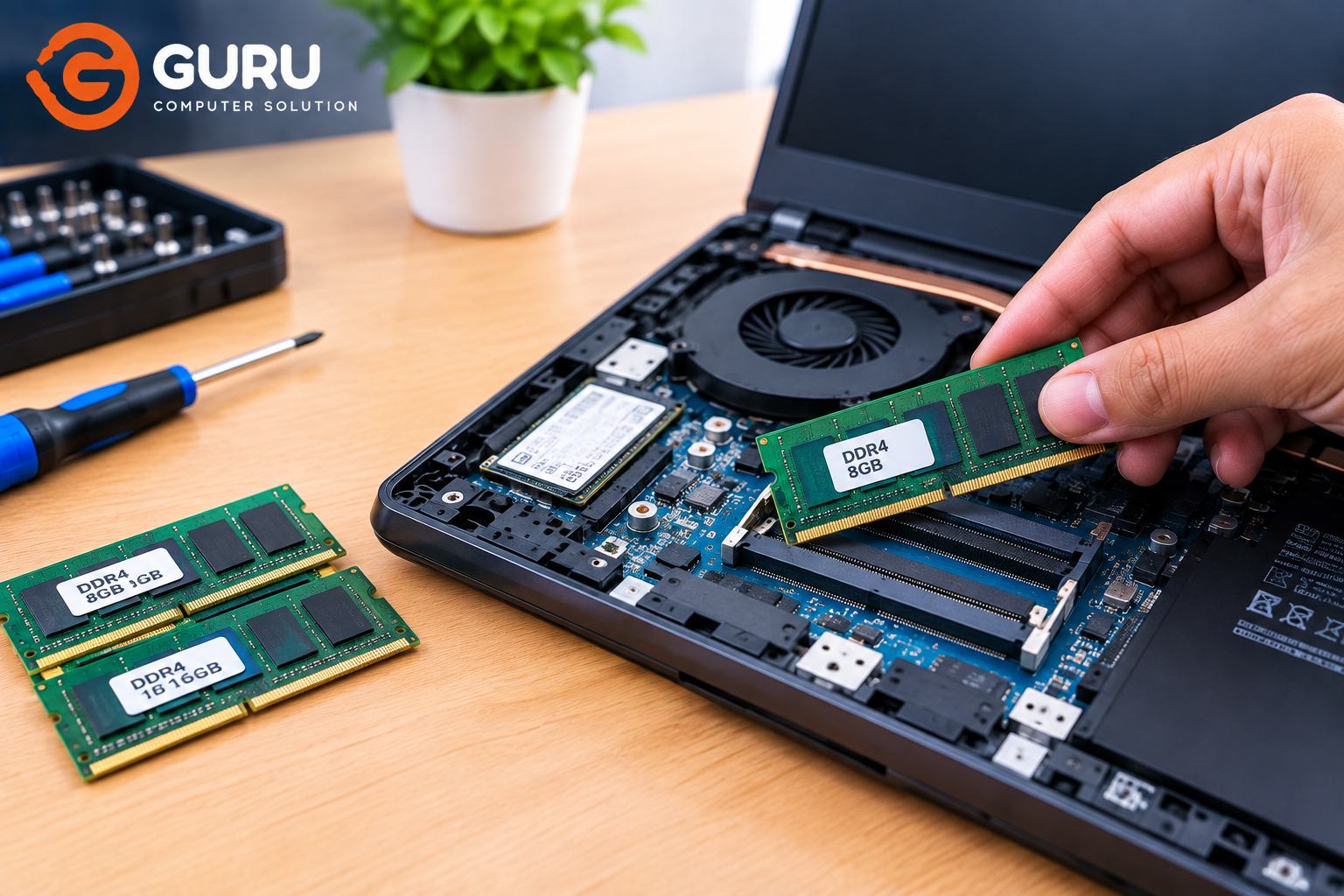
Some laptops have one or two accessible SO-DIMM slots, allowing you to add or replace RAM modules. Other laptops have some or all of their RAM soldered directly to the motherboard.
Before purchasing RAM, it is useful to determine how many RAM slots your laptop has, how much RAM is currently installed, the maximum supported memory, and whether the existing RAM is removable.
For example, if your laptop has 8GB installed in one slot and supports 16GB or more, you may be able to add another compatible module. If the laptop has soldered memory and no upgradeable slot, the options may be much more limited.
The exact laptop model is the safest way to determine whether a RAM upgrade is possible.
One 16GB RAM Stick vs Two 8GB RAM Sticks
If your laptop supports two RAM modules, you may have a choice between using one 16GB module or two 8GB modules.
Two compatible modules can allow the laptop to operate in dual-channel memory mode, which can increase memory bandwidth and may provide better performance in certain workloads.
However, this doesn't mean that two RAM sticks are always better. The laptop's motherboard, processor, existing RAM, supported configuration, and available slots all matter.
If you already have one 8GB module installed and an empty compatible slot, adding another 8GB module may be a practical way to reach 16GB while potentially enabling dual-channel operation.
What Happens to Your Existing RAM After an Upgrade?
Whether you keep or remove your existing RAM depends on how the upgrade is performed.
If your laptop has an empty RAM slot and the existing module is compatible with the new one, you may be able to simply add another module.
If all slots are already occupied, the existing RAM may need to be removed and replaced with higher-capacity modules.
For example, upgrading a laptop from 8GB to 16GB could involve adding another 8GB module or replacing an existing 8GB module with a 16GB module, depending on the laptop's configuration.
If the old RAM is still functional, you can keep it as a spare or potentially sell it.
How Much Does RAM Installation Cost in Nepal?
The RAM module price and RAM installation cost are separate.
If you already have a compatible RAM module, installation may be relatively straightforward. However, a technician should first verify that the RAM is compatible with the laptop and that the system supports the intended capacity.
After installation, the laptop should be checked to confirm that the new memory is detected correctly and that the system is stable.
If the laptop is experiencing general slowness, it can also be useful to diagnose whether RAM is actually the problem before spending money on an upgrade.
Laptop RAM Upgrade in Kathmandu
If you are looking for a laptop RAM upgrade in Kathmandu, Guru Computer Solution in New Road can help check your laptop's RAM configuration and determine whether an upgrade is possible.
The service can include RAM compatibility checking, RAM installation, RAM replacement, DDR4 or DDR5 upgrades, and performance diagnosis.
Before purchasing a RAM module, it is best to provide the exact laptop brand and model number. This allows the correct RAM generation, capacity, speed, and configuration to be identified before installation.
If your laptop is slow, upgrading RAM may help, but the technician can also determine whether an SSD upgrade or another hardware solution would provide a better improvement.
Frequently Asked Questions
How much does laptop RAM upgrade cost in Nepal?
The cost depends on the RAM capacity, DDR generation, brand, speed, and laptop configuration. As an approximate market reference, 8GB DDR4 RAM can cost around NPR 2,500–4,500, while 16GB DDR4 can be around NPR 4,500–8,000. DDR5 modules are generally more expensive.
How much does 8GB laptop RAM cost in Nepal?
An 8GB laptop RAM module can cost approximately NPR 2,500–4,500 for DDR4, while an 8GB DDR5 module may cost around NPR 3,500–5,500, depending on the brand, speed, seller, and availability.
How much does 16GB laptop RAM cost in Nepal?
A 16GB DDR4 laptop RAM module can generally cost around NPR 4,500–8,000, while 16GB DDR5 RAM can be approximately NPR 6,000–10,000 or more, depending on the specific model and brand.
Is 8GB RAM enough for a laptop?
For basic browsing, Office work, online classes and everyday use, 8GB can be sufficient. Users who regularly multitask or run heavier applications may benefit from 16GB.
Is 16GB RAM enough for a laptop?
For most everyday users, students, programmers, office workers and many general-purpose users, 16GB provides a comfortable amount of memory. More demanding workloads may benefit from 32GB or more.
Can I upgrade my laptop from 8GB to 16GB?
In many laptops, yes, but it depends on the number of RAM slots, maximum supported capacity, and whether the existing memory is removable or soldered.
Can every laptop RAM be upgraded?
No. Some laptops have upgradeable SO-DIMM slots, while others have RAM soldered directly to the motherboard. The exact laptop model needs to be checked.
How do I know which RAM my laptop needs?
Check the exact laptop model and existing RAM specifications, including DDR generation, capacity, speed and form factor. A technician can also check compatibility before you purchase a module.
DDR4 vs DDR5: Which is better?
DDR5 is a newer memory generation and can offer higher memory performance, but it is not automatically the right choice for every laptop. Your laptop's motherboard determines which RAM generation you can use.
Should I upgrade RAM or SSD first?
If the laptop is running out of memory during multitasking, RAM may be the better upgrade. If the laptop uses an old HDD and feels slow when booting or opening applications, an SSD upgrade may provide a more noticeable improvement.
Can I use two different RAM brands?
Different brands can sometimes work together if the specifications are compatible, but using matching modules with compatible capacity, generation and speed is generally preferable.
Does adding RAM make a laptop faster?
It can, especially when the laptop does not have enough memory for the tasks being performed. If RAM is not the bottleneck, however, adding more memory may have little effect on overall speed.