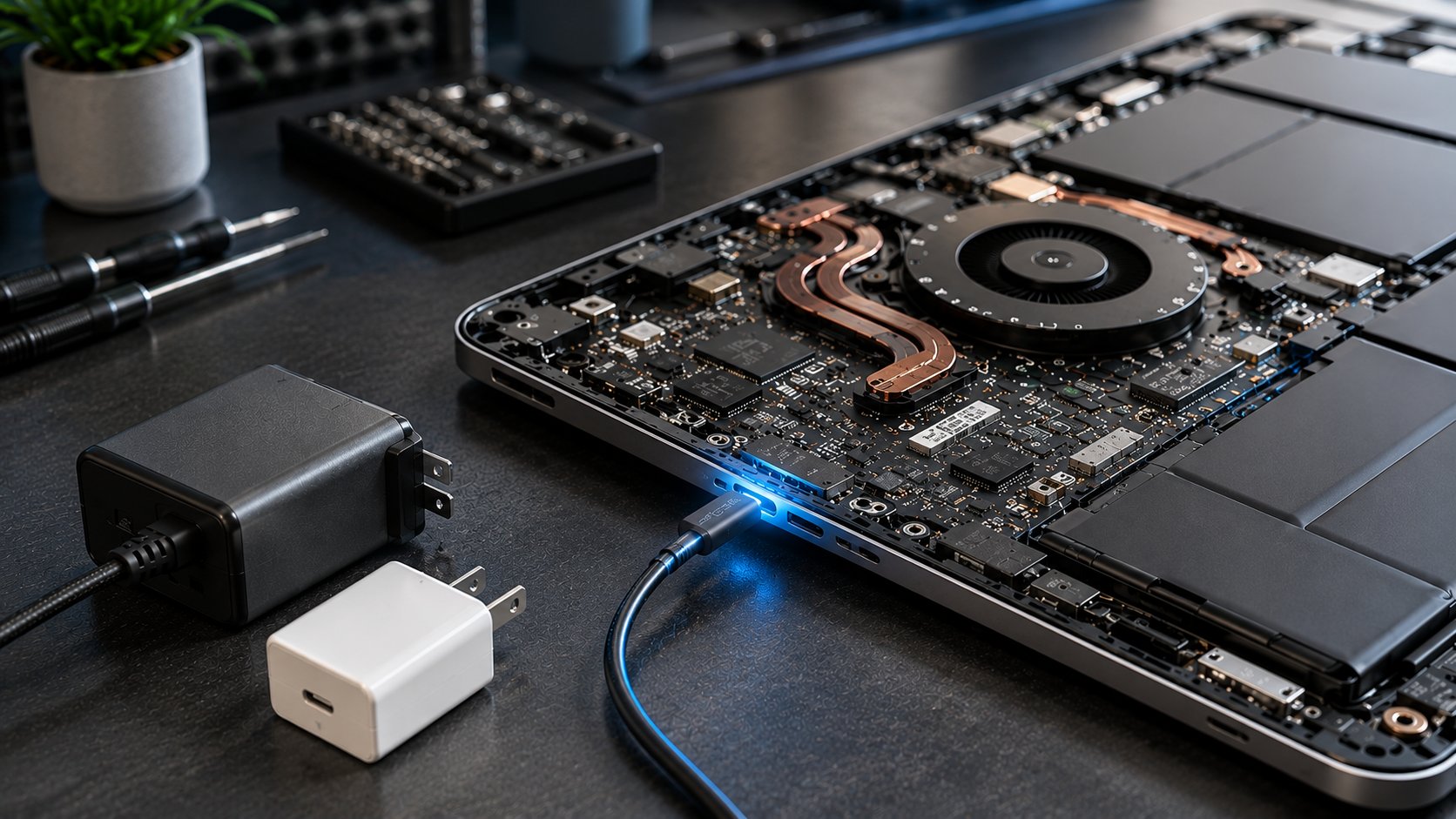
USB-C charging has become common in modern laptops, replacing traditional barrel chargers on many devices. It looks simple — plug in a USB-C cable and start charging. But behind that small connector is a complex system involving Power Delivery (PD), voltage negotiation, wattage requirements, and hardware compatibility.
Many charging problems happen because users assume that all USB-C chargers are interchangeable. In reality, using the wrong charger or cable can result in slow charging, reduced performance, or even charging failure.
USB-C Is Not Just About the Connector
One of the biggest misconceptions about USB-C charging is:
"If the connector fits, it should charge the laptop."
This is not always true.
USB-C describes the physical port design, but charging capability depends on several factors:
- USB Power Delivery (USB PD) support
- Charger wattage output
- Supported voltage levels
- Cable power rating
- Laptop charging circuit design
A USB-C charger designed for smartphones may fit perfectly into a laptop but still fail to provide enough power.
What Is USB Power Delivery (PD)?
USB Power Delivery (PD) is a charging standard that allows the laptop and charger to communicate before delivering power.
Instead of sending power immediately, the devices perform a negotiation process:
- Laptop requests the required power level
- Charger checks available power profiles
- Both devices agree on voltage and current
- Charging begins
This allows devices to safely use different power levels without damaging components.
For example:
- A phone may request 18W
- A tablet may request 30W
- A laptop may request 65W or more
The charger adjusts based on the device's requirements.
Understanding Voltage, Current, and Wattage
Laptop charging depends on electrical power.
Power (Watts) = Voltage × Current
Example:
A 65W laptop charger may provide:
- 20 volts × 3.25 amps = 65 watts
A higher-power charger may provide:
- 20 volts × 5 amps = 100 watts
The laptop determines how much power it needs, but the charger must be capable of supplying it.
Why a Lower-Watt Charger Causes Problems
Imagine a laptop designed for a 65W charger.
If you connect a 20W phone charger:
The laptop may:
- Charge extremely slowly
- Show a "slow charger" warning
- Lose battery percentage while running
- Reduce CPU performance
- Shut down during heavy workloads
This happens because the laptop consumes more power than the charger can provide.
USB-C Cable Matters More Than You Think
Many users focus only on the charger and ignore the cable.
However, USB-C cables have different power capabilities.
A low-quality or low-rated cable may:
- Limit charging speed
- Disconnect randomly
- Become warm during charging
- Prevent high-power charging modes
For laptops requiring higher wattage, the cable must also support the required power level.
Gaming Laptops and USB-C Charging Limitations
Gaming laptops are more complicated.
A gaming laptop may include a USB-C port but not support full charging through it.
The USB-C port may only support:
- Data transfer
- External displays
- Limited charging
High-performance gaming laptops often require:
- 100W+
- 140W+
- Dedicated power adapters
A USB-C charger that works for an ultrabook may not be enough for a gaming machine.
Common USB-C Charging Problems
Users often experience:
Laptop Charges Slowly
Possible causes:
- Charger wattage too low
- Unsupported PD profile
- Poor-quality cable
Laptop Stops Charging During Heavy Use
Possible causes:
- Charger cannot supply enough power
- Laptop consumes more energy than charging input
USB-C Charging Works With One Charger but Not Another
Possible causes:
- Different PD support
- Different voltage profiles
- Cable limitations
USB-C Port Gets Hot
Possible causes:
- Damaged port
- Poor connection
- Low-quality accessories
How to Choose the Right USB-C Laptop Charger
Before buying a replacement charger, check:
1. Required Wattage
Find your laptop's original charger rating.
Common laptop charging levels:
- 45W
- 65W
- 90W
- 100W
- 140W+
2. USB PD Support
Make sure the charger supports USB Power Delivery.
3. Cable Rating
Use a cable that supports the required power output.
4. Brand Compatibility
A reliable charger from a trusted manufacturer is usually safer than cheap alternatives.
Can a Higher-Watt Charger Damage a Laptop?
Generally, no.
USB PD chargers negotiate power automatically. A 100W charger does not force 100W into a laptop that only needs 65W.
The laptop only draws the amount of power it requires.
The bigger risk is usually the opposite:
Using a charger that cannot provide enough power.
The Future of Laptop Charging
USB-C charging is becoming more common because it offers:
- One universal connector
- Faster charging
- Better accessory compatibility
- Support for displays and data transfer
However, understanding PD, wattage, and compatibility remains important because USB-C does not automatically mean universal charging.
Why Choose Guru Computer Solution?
Certified Technicians
Experienced professionals trained in advanced laptop diagnostics and motherboard-level repairs.
Genuine Parts
High-quality replacement components for reliable long-term performance.
Fast Turnaround
Efficient troubleshooting and repair services to minimize downtime.
Warranty Support
Repairs backed by service warranty for peace of mind.
Affordable Pricing
Transparent pricing with cost-effective repair solutions.
Conclusion
Not every USB-C charger is compatible with every laptop, even if the connector fits. Charging performance depends on Power Delivery (PD) support, wattage, voltage, and cable quality. Using a certified USB-C PD charger and the correct cable helps prevent slow charging, battery drain, and compatibility issues. Always verify your laptop's power requirements to ensure safe, reliable charging and long-term performance.