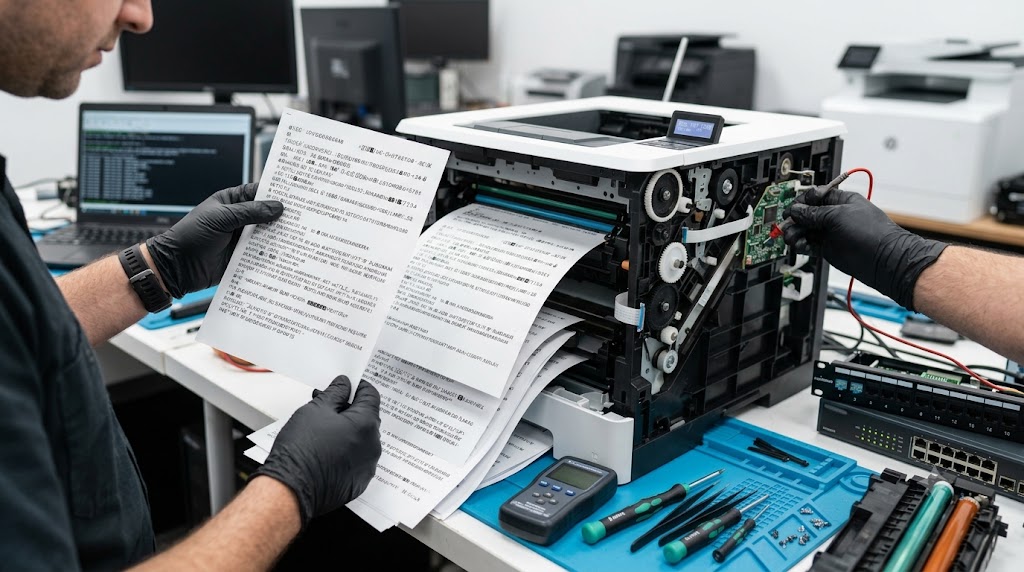
Few printer problems are more confusing than sending a document to print and receiving pages filled with random symbols, strange characters, code fragments, or unreadable text. In most cases, the printer hardware itself is not damaged. Instead, gibberish printing is usually caused by driver conflicts, communication errors, corrupted print jobs, incorrect printer languages, or network-related issues. Understanding the common causes can help restore normal printing quickly and prevent unnecessary printer repairs.
What problem is the customer facing?
Users may experience:
- Pages filled with random symbols
- Unreadable text and characters
- Printer output containing code instead of documents
- Multiple pages of nonsense text
- Strange fonts or symbols replacing normal text
- Print jobs that never complete properly
- Network printers producing corrupted output
These issues can occur suddenly even when the printer was working normally before.
Root causes of the problem.
1. Incorrect Printer Driver
Using the wrong printer driver can cause the printer to misinterpret print commands.
2. Corrupted Print Jobs
Damaged files in the print queue may generate invalid printer instructions.
3. Printer Language Mismatch
The printer may expect:
- PCL
- PostScript
- PDF Direct Print
while receiving a different format.
4. Network Communication Errors
Corrupted data packets can result in unreadable output.
5. Operating System Updates
System updates can sometimes affect printer compatibility.
6. Firmware Issues
Outdated printer firmware may mishandle certain print commands.
7. Application-Specific Problems
Some programs generate print data differently than others.
How can customers identify the issue?
Common warning signs include:
- Random letters and symbols on printed pages
- Multiple pages of code
- Strange formatting
- Missing document content
- Printer continuously printing garbage characters
- Errors after installing a new printer
- Problems occurring only from specific computers
Additional Signs
- Printing works from one device but not another
- PDF files print incorrectly
- Documents appear normal before printing
- Printer hardware otherwise functions normally
Possible solutions.
Step 1: Cancel All Print Jobs
Clear the print queue completely before testing again.
Step 2: Restart the Printer
Power cycle the printer to clear temporary memory issues.
Step 3: Restart the Computer
Refresh printer services and communication processes.
Step 4: Reinstall the Correct Printer Driver
Download the latest driver from the printer manufacturer's website.
Step 5: Verify Printer Language Settings
Ensure the driver and printer are using compatible print languages.
Step 6: Update Printer Firmware
Install manufacturer-approved firmware updates.
Step 7: Test Another Application
Print from a different program to identify application-specific issues.
Step 8: Check Network Connections
Verify stable communication between the printer and computer.
Common Mistakes to Avoid
Replacing Hardware Immediately
Most gibberish-printing issues are software-related.
Using Generic Drivers
Generic drivers may not fully support printer features.
Ignoring Firmware Updates
Outdated firmware can create compatibility problems.
Leaving Corrupted Print Jobs in the Queue
Damaged jobs can continue causing issues.
Skipping Network Diagnostics
Communication problems are a common cause of corrupted printing.
Why Choose Guru Computer Solution?
1.Certified Technicians
Experienced in printer software, driver, and hardware diagnostics.
2.Genuine Driver Support
Proper installation and configuration of printer software.
3.Fast Turnaround
Quick troubleshooting to minimize downtime.
4.Warranty Support
Repairs backed by service warranty.
5.Affordable Pricing
Cost-effective printer maintenance and repair solutions.
Conclusion
When a printer starts producing gibberish characters, random symbols, or pages of unreadable text, the problem is often related to drivers, print queues, communication errors, or printer language mismatches rather than a hardware failure. Identifying the root cause and applying the correct fix can usually restore normal printing quickly and prevent recurring issues.
If your printer continues printing corrupted output despite basic troubleshooting, Guru Computer Solution can provide professional diagnostics, driver configuration, firmware updates, network troubleshooting, and repair services to restore reliable and accurate printing performance.