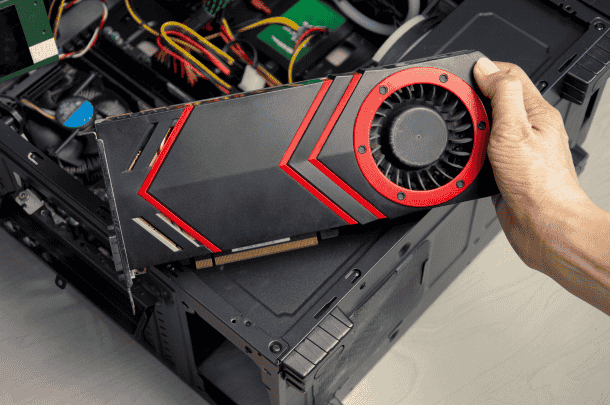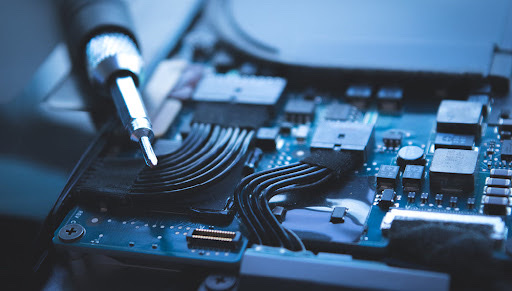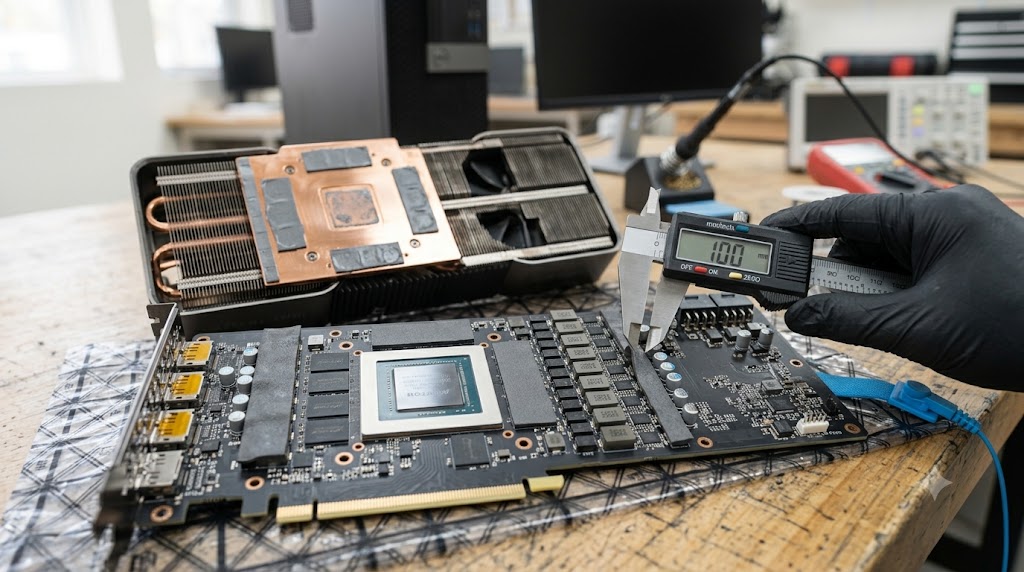
Thermal pads play a critical role in keeping graphics cards cool by transferring heat from memory chips, VRMs (Voltage Regulation Modules), and other components to the heatsink. Unlike thermal paste, which is applied to the GPU core, thermal pads bridge gaps between components and cooling surfaces. Over time, these pads can dry out, compress, tear, or lose their thermal efficiency, leading to higher temperatures and reduced performance. Knowing when to replace thermal pads and how to measure the correct thickness is essential for maintaining optimal GPU cooling and avoiding costly mistakes during maintenance.
What Problem Is the Customer Facing?
Graphics card users may experience:
- Higher GPU memory temperatures
- Increased fan noise
- Thermal throttling during gaming
- Reduced performance
- Overheating VRM components
- Unexpected crashes under load
- Poor cooling after disassembly
In many cases, aging or improperly installed thermal pads are contributing to the problem.
Why Does It Happen?
1. Thermal Pad Aging
Over time, thermal pads lose flexibility and thermal conductivity.
2. Compression Wear
Years of pressure can permanently compress pads, reducing effectiveness.
3. Improper Previous Repairs
Incorrect replacement pads may be too thick or too thin.
4. Heat Exposure
Continuous high temperatures accelerate material degradation.
5. Physical Damage During Disassembly
Pads can tear or stretch when removing the heatsink.
6. Manufacturing Variations
Some factory-installed pads deteriorate faster than others.
How Can Customers Identify the Issue?
Common warning signs include:
- Rising GPU memory temperatures
- Hotspot temperatures significantly higher than normal
- Fans constantly running at high speed
- Performance drops during gaming
- Thermal throttling warnings
- System instability under load
- Visible deterioration of thermal pads
When Should Thermal Pads Be Replaced?
During Major GPU Maintenance
Whenever the heatsink is removed for cleaning or thermal paste replacement, inspect the pads carefully.
If Pads Are Torn or Damaged
Any ripped, stretched, or broken pads should be replaced.
If Pads Have Become Brittle
Dry, hardened pads often lose thermal efficiency.
After Severe Overheating
Excessive heat can permanently degrade pad performance.
During Refurbishment
Older graphics cards often benefit from fresh thermal pads and thermal paste.
Why Thickness Matters
Thermal pad thickness is critical.
Pads That Are Too Thick
Can prevent proper GPU core contact with the heatsink, causing severe overheating.
Pads That Are Too Thin
May fail to contact the heatsink entirely, leaving components without cooling.
Uneven Thickness
Can create pressure imbalance across the cooling assembly.
Even a small measurement error can significantly affect temperatures.
How to Measure Thermal Pad Thickness
Method 1: Measure Original Pads
Use a digital caliper to measure the original pad before removal.
Method 2: Measure Compressed Thickness
Carefully measure the installed pad after removing the cooler.
Method 3: Manufacturer Specifications
Some manufacturers publish thermal pad thickness information.
Method 4: Precision Gauges
Professional repair shops often use specialized measuring tools for accuracy.
Common GPU Thermal Pad Thicknesses
Depending on the model, thermal pads may range from:
- 0.5 mm
- 1.0 mm
- 1.5 mm
- 2.0 mm
- 2.5 mm
- 3.0 mm
Different locations on the same graphics card may use different thicknesses.
Always verify before replacement.
Common Mistakes to Avoid
Guessing Pad Thickness
Never assume all pads are identical.
Reusing Damaged Pads
Compromised pads may not transfer heat effectively.
Mixing Thicknesses Incorrectly
Using the wrong size can affect cooling performance.
Using Low-Quality Pads
Cheap thermal pads may provide poor thermal conductivity.
Ignoring Memory Temperatures
GPU core temperatures may appear normal while memory overheats.
Visual Signs During Inspection
Torn Thermal Pads
Visible damage often occurs during heatsink removal.
Oil Leakage
Some pads release oils as they age.
Flattened Pads
Excessively compressed pads may no longer perform properly.
Cracked Surfaces
A sign of aging and thermal degradation.
Diagnostic Process Used by Technicians
A professional diagnosis typically includes:
- GPU temperature monitoring
- Memory temperature analysis
- Hotspot temperature testing
- Thermal pad inspection
- Thickness measurement
- Heatsink pressure verification
- Stress testing after replacement
Possible Solutions
Replace Aging Thermal Pads
Install high-quality pads with the correct thickness.
Replace Thermal Paste
Perform both services simultaneously when possible.
Verify Contact Pressure
Ensure proper heatsink mounting pressure.
Monitor Temperatures
Test memory and hotspot temperatures after installation.
Professional GPU Servicing
Avoid costly mistakes by using proper measurement techniques.
Why Choose Guru Computer Solution?
1.Certified Technicians
Experienced in GPU maintenance and thermal optimization.
2.Precision Measurement Tools
Accurate thermal pad thickness verification.
3.Professional Thermal Servicing
Proper thermal pad and thermal paste replacement.
4.Advanced Temperature Testing
Comprehensive thermal performance analysis.
5.Affordable Pricing
Cost-effective GPU maintenance and repair solutions.
Conclusion
Thermal pads are a critical part of a graphics card's cooling system, and using the wrong thickness can create serious temperature and performance issues. Aging, damaged, or compressed pads should be replaced during GPU maintenance to ensure proper heat transfer from memory chips and power components. Careful measurement and correct installation are essential for maintaining reliable cooling and extending the life of your graphics card.
If your graphics card is running hotter than normal or requires thermal maintenance, Guru Computer Solution can provide professional GPU cleaning, thermal pad replacement, thermal paste application, and temperature diagnostics to keep your hardware performing at its best.